
HyperPod Slurm Clusters Declare Node Software Through Managed Extensions
"SageMaker HyperPod added managed cluster extensions in November 2026: an observability package and a user-management package, declared through an API, validated against a schema and reporte

TL;DR
- A cluster extension is a software package that AWS manages on every node of a SageMaker HyperPod Slurm cluster, declared through an API or the console and then installed, updated and removed by the service on the whole fleet.
- Amazon launched the feature in November 2026 with two extensions: sagemaker-observability, which ships node, GPU, EFA and Slurm metrics to CloudWatch or Amazon Managed Service for Prometheus, and sagemaker-user-management, which creates the same user and group IDs on every node and rules who may use SSH and sudo.
- The extension service runs its software as root on every node, so CreateClusterExtension, UpdateClusterExtension and DeleteClusterExtension belong with administrator permissions, and the post advises keeping them away from the cluster execution role because every user who can sign in to the nodes can use that role's credentials.
- Status carries the operational weight: Creating or Updating while a change rolls out, Active when no node reports a problem, with ActiveCount and TotalCount showing whether every node has converged, and Degraded when some nodes failed.
- Each extension has its own ARN, so a platform team can own user management while a monitoring team owns observability, and the post asks for one owner per component so a script and an extension never configure the same exporter.
- Lifecycle scripts stay the right tool for organization-specific software such as security agents, license servers and storage layout, and the two approaches coexist as long as each component keeps a single owner.
- Slurm's maintenance reservations provide a separately planned mechanism for fleet-level work: root or SlurmUser creates the reservation, the maintenance flag marks its purpose, and a reservation with nodes stays inside one partition.
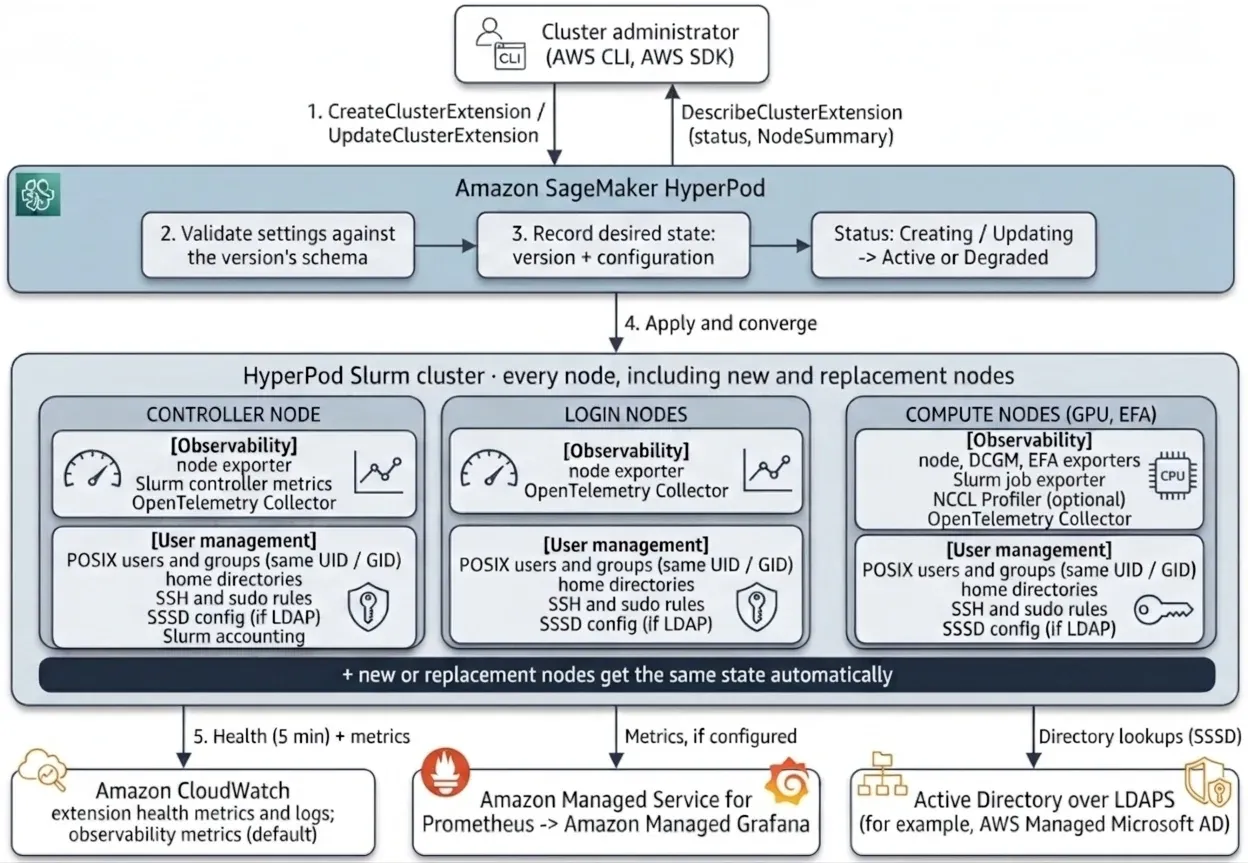
Amazon Web Services published Introducing managed cluster extensions for observability and user management in Amazon SageMaker HyperPod Slurm on 20 November 2026, and the launch starts with two extensions. Two extensions exist today. What matters is that the software on the nodes now has a declared, validated, reportable form, which is the layer that used to live in a script somebody edited on a Friday.
What a cluster extension owns on a HyperPod Slurm fleet
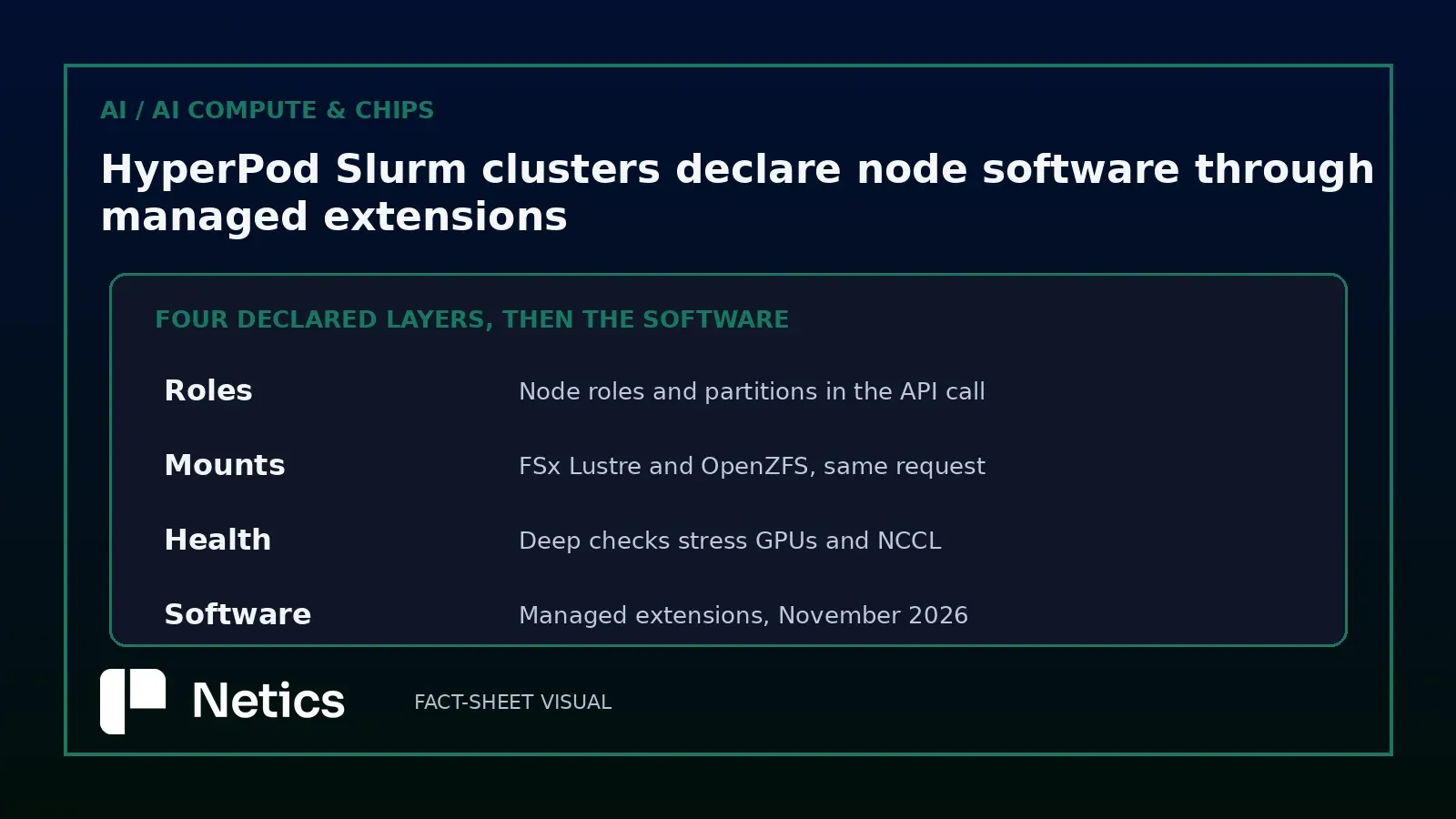
HyperPod already declares most of a cluster through an API: node roles and partitions, FSx for Lustre and OpenZFS mounts, minimum capacity, automatic topology management and deep health checks that stress GPUs and test NCCL connectivity. The post describes those as five layers that HyperPod applies once, when it provisions a node, and then names the sixth layer, the software that runs on the nodes, as the one that keeps changing for the life of the cluster.
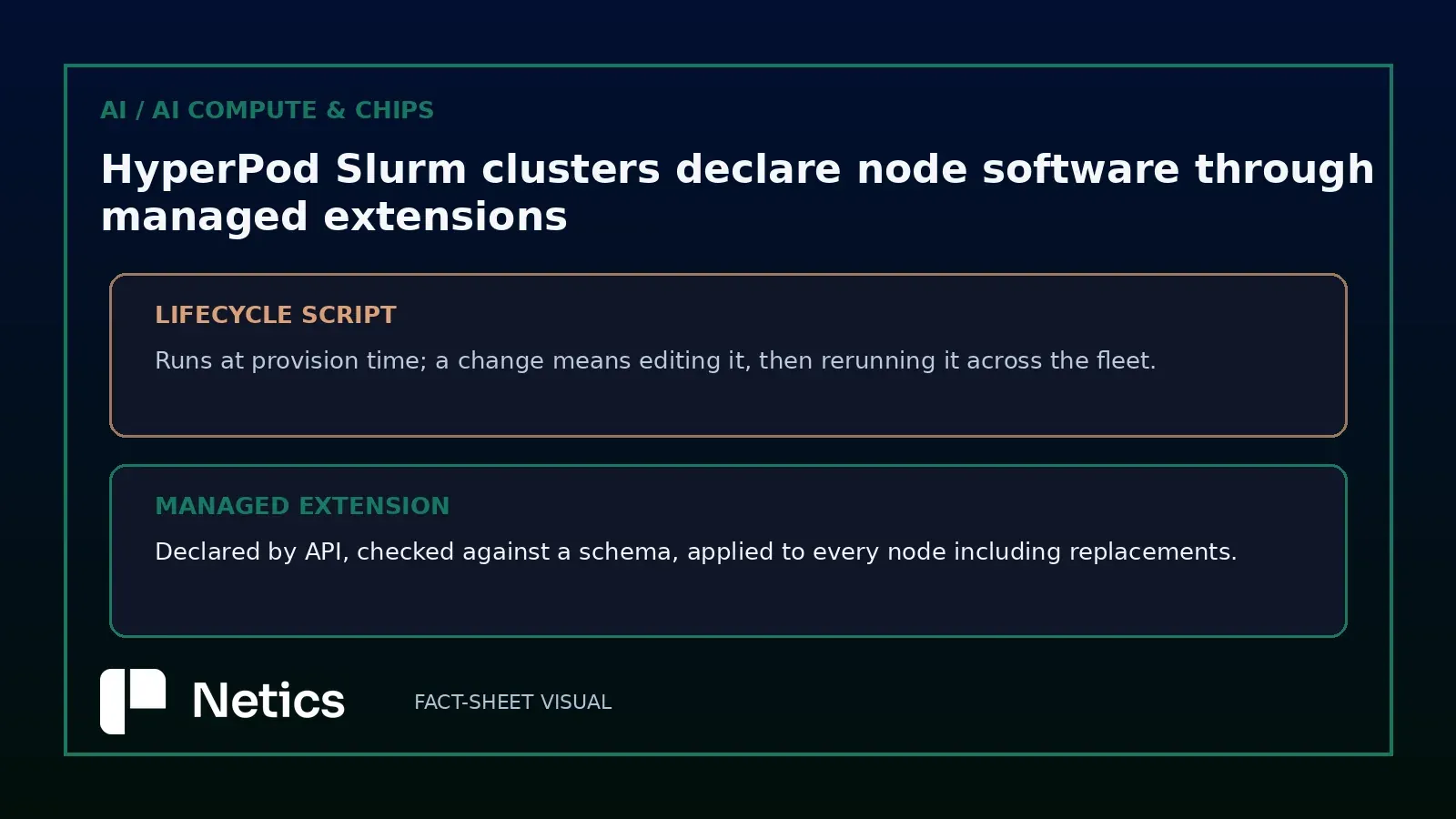
The reason is mundane and familiar to anyone who has run a shared compute estate. Researchers join and leave, a team asks for deeper GPU metrics for a week, an exporter ships a fix. A script runs only when a node is provisioned, so each change means editing it and then replacing nodes or rerunning it across the fleet, and a mistake appears only when it executes on some node. The extension replaces that cycle with a declaration, a schema check and a status field.
Two extensions ship today: metrics, and identity across nodes
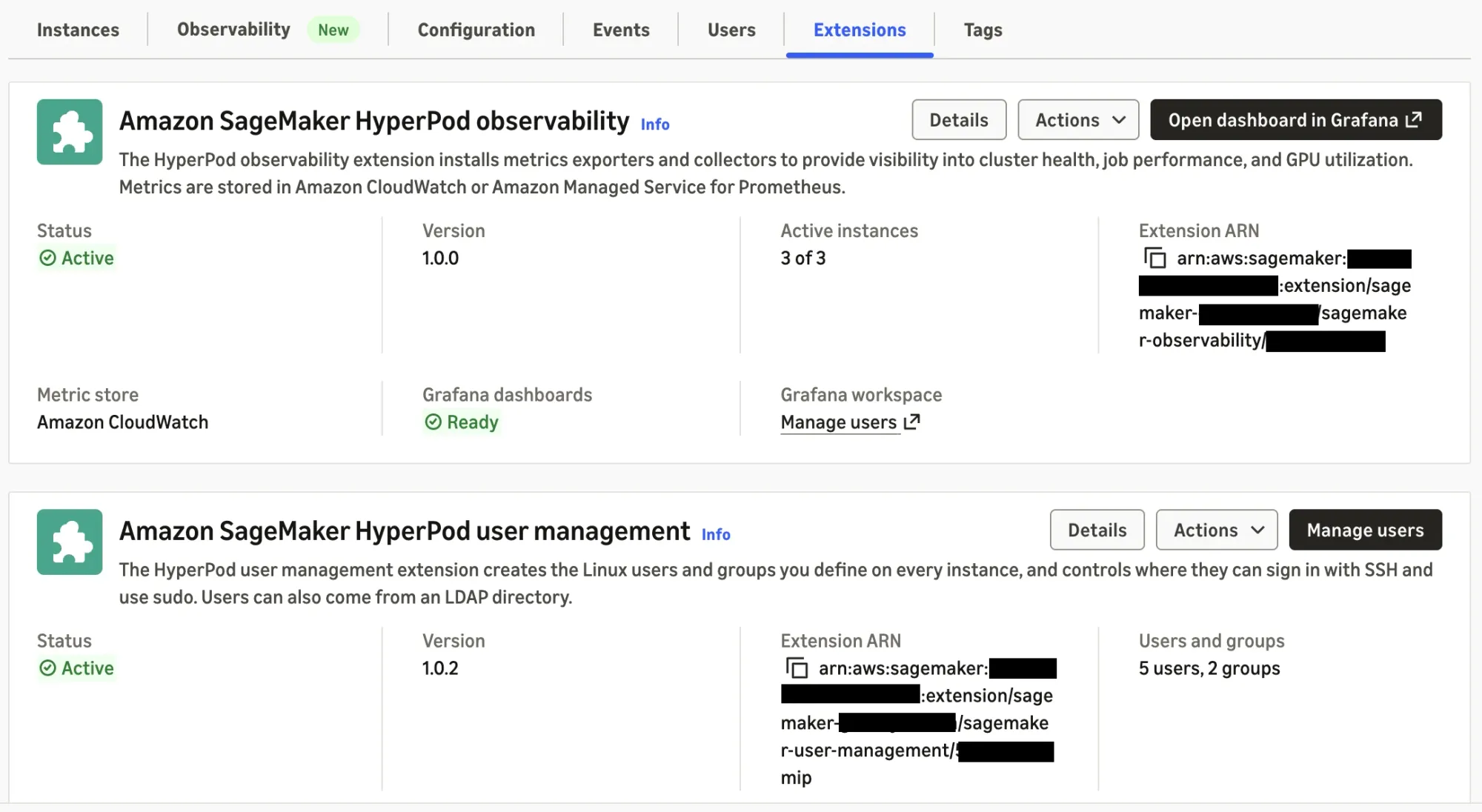
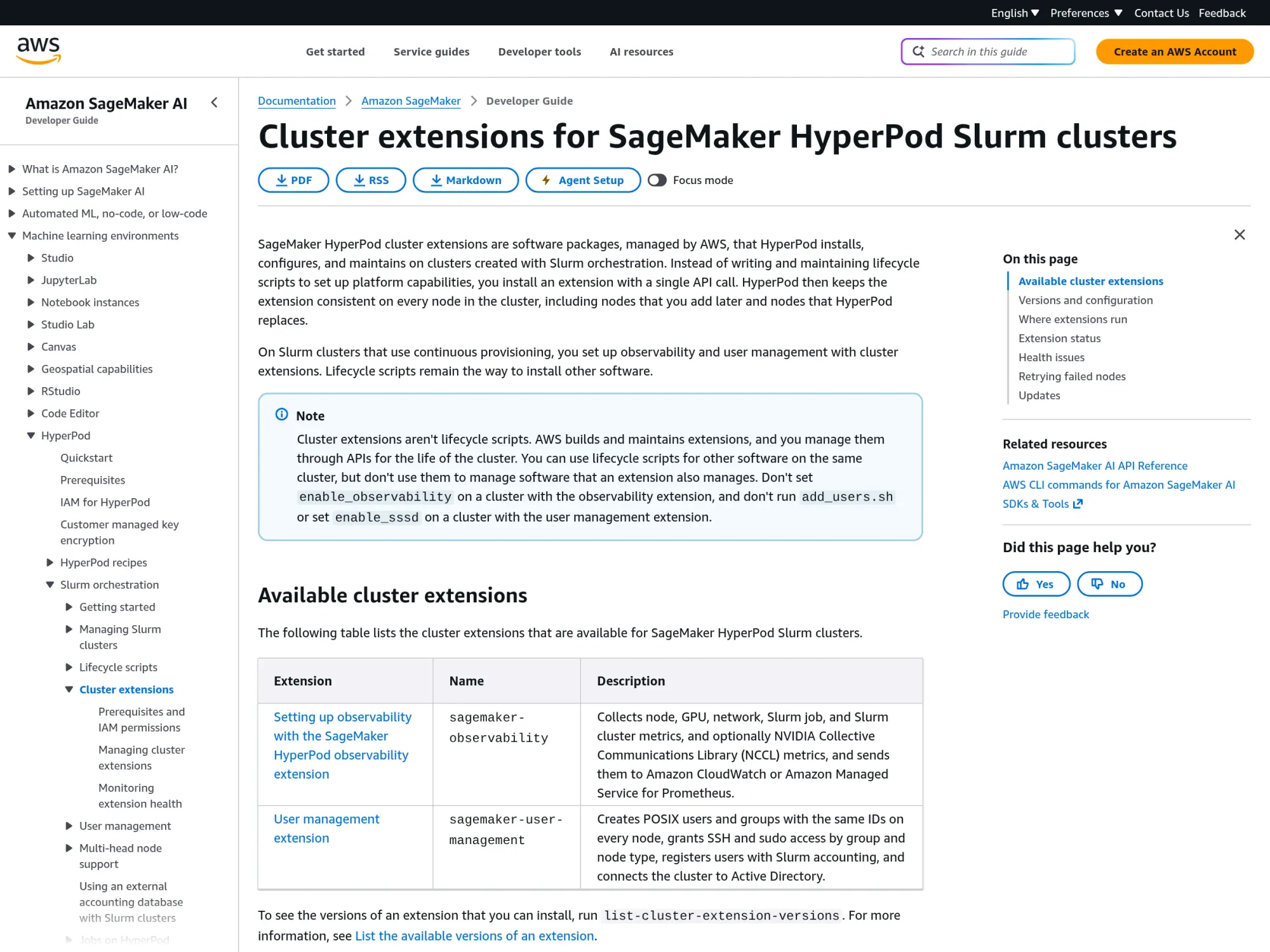
The observability extension collects node, GPU, Elastic Fabric Adapter and Slurm job and cluster metrics, and sends them to Amazon CloudWatch or Amazon Managed Service for Prometheus. The user management extension creates users and groups with the same IDs on every node, controls who can use SSH and sudo per node type, registers users with Slurm accounting, and can connect the cluster to Active Directory through a directory service.
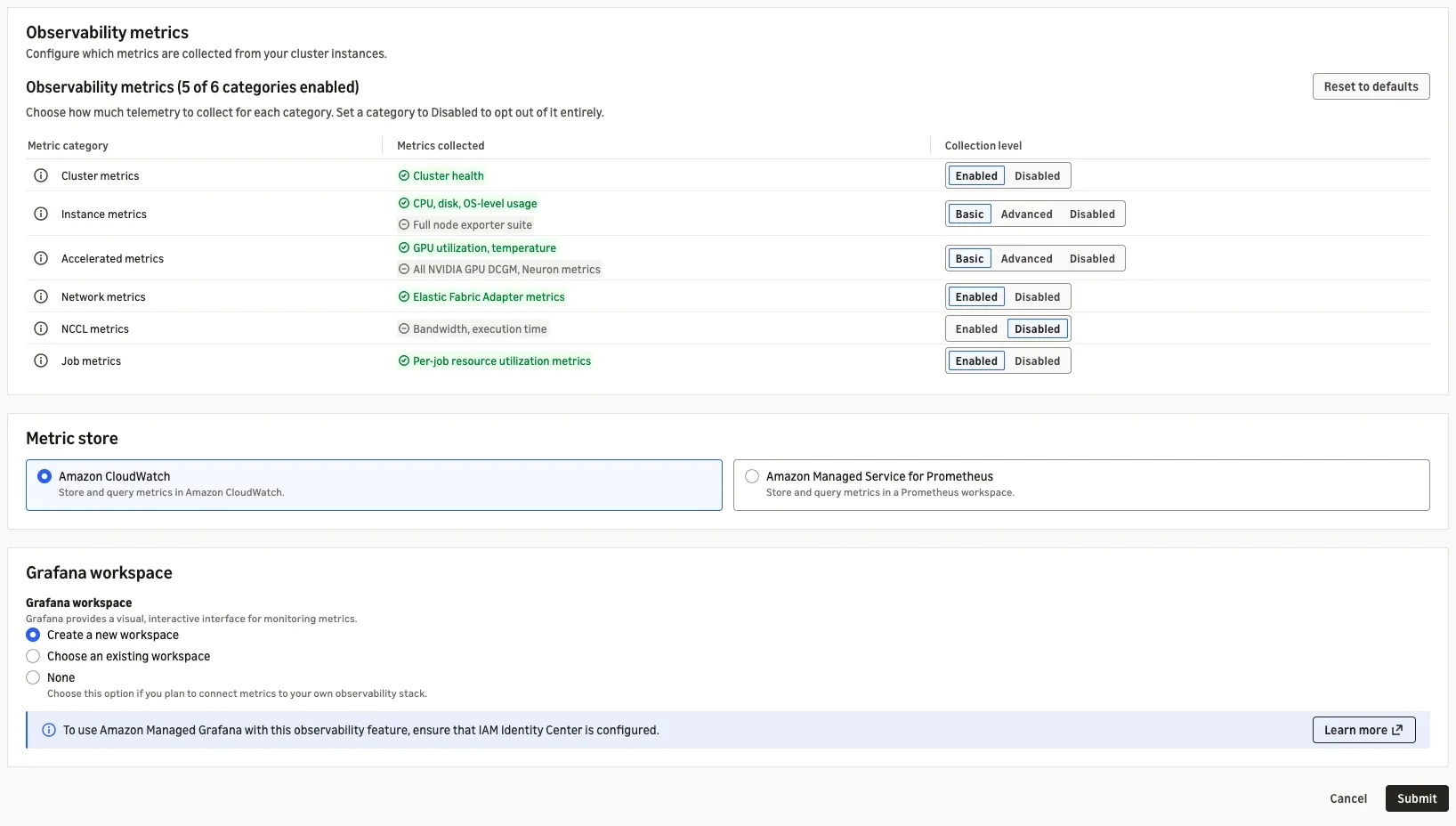
Those two choices say something about where AWS sees the pain. FSx mounts, network topology and scheduler configuration already had declarative paths. Identity and telemetry are the parts that drift silently, because a mismatched UID shows up as an unreadable home directory months later and a missing exporter shows up as a gap in a dashboard nobody was watching. The post also notes that each extension has its own ARN, which turns one cluster into several ownership zones.
The service runs as root, so the API belongs to administrators
The post states the permission model in one sentence worth repeating to a security team: an extension runs software as root on every node. That makes the three management calls administrative operations, and the recommendation that follows is specific and easy to get wrong: keep CreateClusterExtension, UpdateClusterExtension and DeleteClusterExtension away from the cluster's execution role, because every user who can sign in to the nodes can use that role's credentials.
The execution role still needs a narrow set of permissions, and the list is a good map of what each extension touches. Observability needs CloudWatch or aps:RemoteWrite. User management needs secretsmanager:GetSecretValue for the Active Directory secrets, kms:Decrypt when those secrets use a customer managed key, and a shared file system for home directories. A team that grants all of it through one broad role gets the fleet-wide root access the post warns about, with the convenience of a single policy.
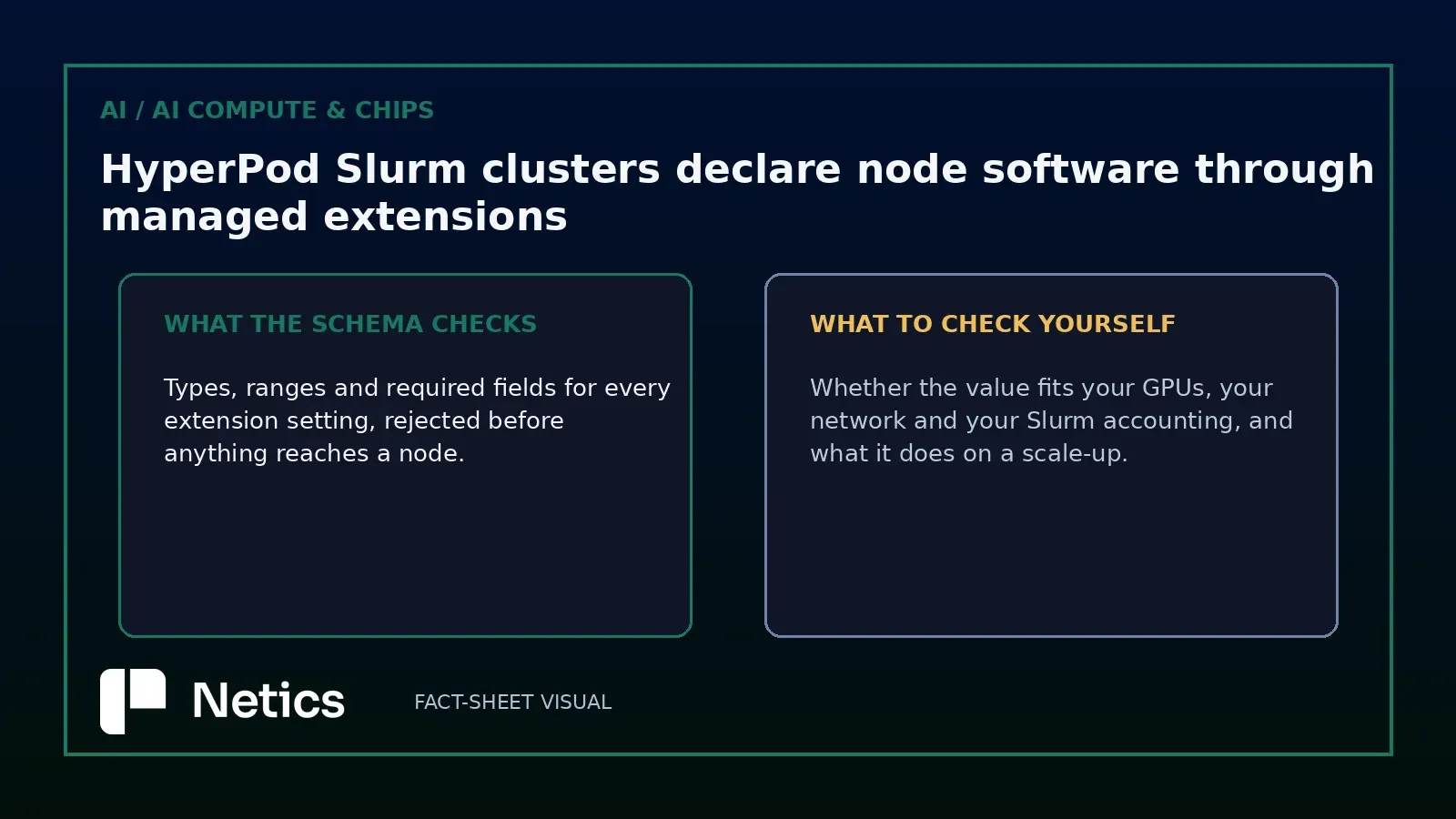
Schema validation deserves an honest reading here. HyperPod checks settings against the extension's schema and rejects a misspelled setting before anything reaches a node, which removes a whole class of failed rollouts. It cannot know whether a metric interval matches the cardinality your Prometheus can absorb, or whether the user list matches the directory your staff actually use. Those remain engineering decisions with an owner.
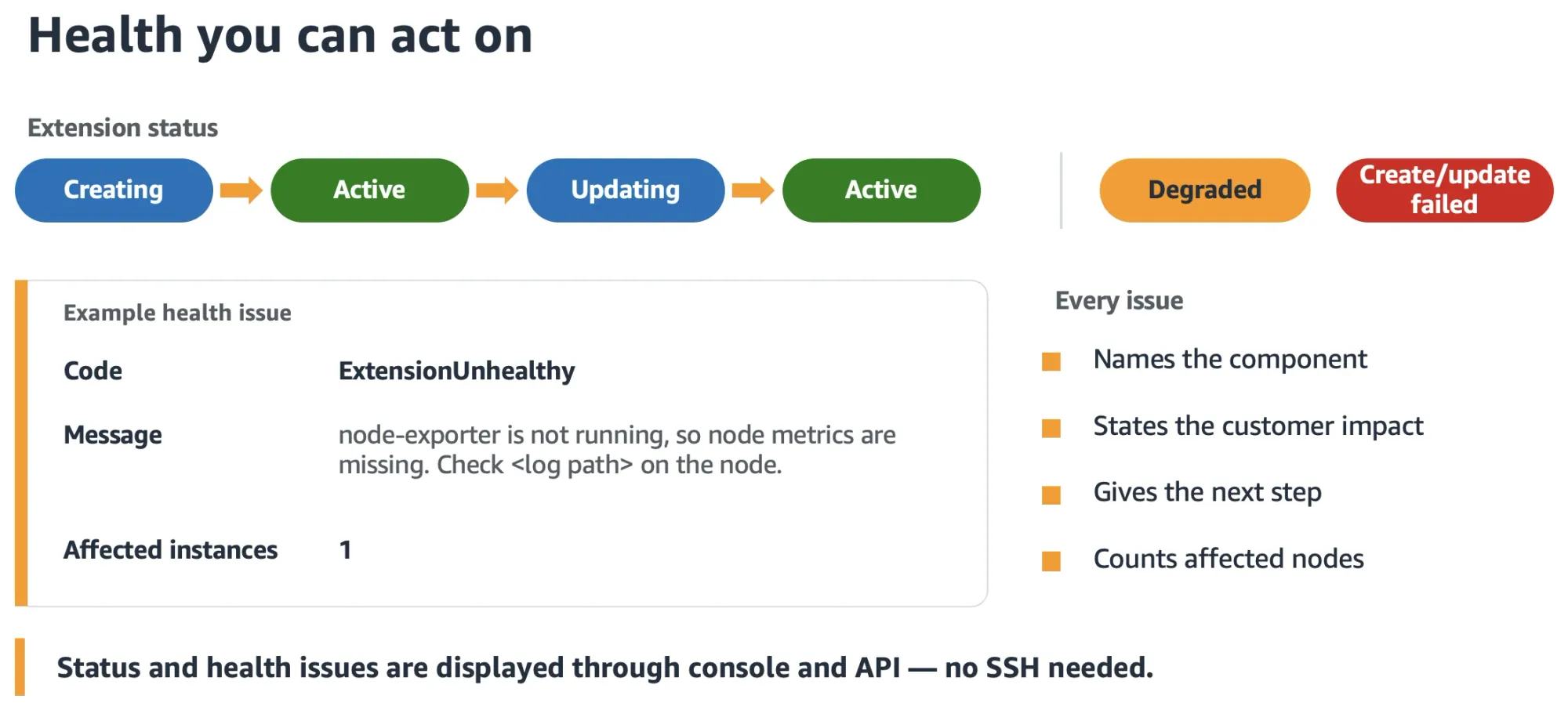
Active status plus the node summary show whether every node reports the requested version
Status is where this design earns its keep. Creating or Updating marks a rollout in progress. Active status plus the node summary show whether every node runs the requested version and settings and none reports a problem. Degraded means some nodes failed or report an issue. Each health issue names the component, describes the effect on the cluster, gives the next step and counts the affected nodes.
Provisioning scripts provide no built-in inventory of what is installed. A team running an exporter through a provisioning script learns about drift from a dashboard gap, or from a researcher who notices a missing GPU counter. ActiveCount and TotalCount provide the fleet-wide check beyond the node you happened to log into, and they show when a fleet-wide change has converged.
The console view also shows the ownership split working. A cluster running both extensions lists them separately, with versions, statuses and configuration links, which is what allows one team to own metrics and another to own identity without sharing an API call.
The continuing role of lifecycle scripts
The post is clear about the boundary: run extensions when HyperPod offers a managed capability, and keep custom AMIs and lifecycle scripts for organization-specific software and initialization. Security agents, license servers and the storage layout a data pipeline expects belong in the image, because only your team knows what they need.
The rule that makes coexistence work is ownership. A component should have one owner, and the post warns against managing the same exporter, user or service through both a script and an extension, since competing configurations cause installation and runtime conflicts. Migration advice follows the same logic: turn the capability off in the lifecycle scripts, upload them to S3 so new nodes skip it, and move one capability at a time.
What Slurm's maintenance reservations explain about the timing
A fleet-wide software change on a shared cluster needs a window, and Slurm already has the mechanism for it. The scheduler's advanced reservation guide describes reservations created, updated and destroyed by root or the configured SlurmUser through scontrol, a maintenance reservation created with the maint flag, and the rule that a reservation containing nodes stays inside a single partition; the guide's own example reserves the whole machine at 16:00 for 120 minutes with the maint and ignore_jobs flags.
The scheduling consequence is practical. HyperPod uses Slurm maintenance reservations to keep jobs off nodes during deep health checks; the extension guide says extension rollout itself does not hold back job scheduling. A team that pairs the extension update with a reservation it controls gets a predictable drain, and one that skips the reservation finds out how a degraded extension behaves while jobs are running.
The launch is worth adopting for the two components it covers today, and the design is worth copying for the question it asks about every other component on the nodes: who owns it, how often does it change, and does a status field exist that says whether the whole fleet agrees. Teams running their own GPU estate outside a managed cluster face the same question with fewer defaults, which is the territory the self-hosted infrastructure and cloud exit page explores. For a separate SageMaker topic, see SageMaker's cross-region inference router.
Sources
- Introducing managed cluster extensions for observability and user management in Amazon SageMaker HyperPod Slurm — aws.amazon.com/blogs/machine-learning, 20 November 2026
- Cluster extensions for Amazon SageMaker HyperPod Slurm clusters — docs.aws.amazon.com, SageMaker AI Developer Guide
- Advanced Resource Reservation Guide — slurm.schedmd.com, SchedMD
Source: "Introducing managed cluster extensions for observability and user management in Amazon SageMaker HyperPod Slurm" — aws.amazon.com, 2026-11-20, https://aws.amazon.com/blogs/machine-learning/introducing-managed-cluster-extensions-for-observability-and-user-management-in-amazon-sagemaker-hyperpod-slurm/, read against the developer guide page at https://docs.aws.amazon.com/sagemaker/latest/dg/sagemaker-hyperpod-slurm-extensions.html and the Slurm reservation guide at https://slurm.schedmd.com/reservations.html; all fetched and saved on 2026-11-21 under sources/2026-11-21/hyperpod-slurm-extensions/.