
Proxmox Backup Jobs: Retention, Verification and a Restore Drill
A Proxmox backup job links guest quiescing, retention, verification and a timed restore into one operational chain.

TL;DR
- Proxmox VE is an open-source virtualization platform that companies run on their own hardware to host virtual machines and containers, and its backup job links several decisions: how the guest is quiesced, which retention counters apply, what a verification job reads back, and whether anyone has timed a restore.
- The job runs in snapshot, suspend or stop mode, and snapshot mode copies blocks from a live virtual machine while an enabled and running guest agent freezes and thaws the filesystem to improve consistency.
- Large guests benefit from fleecing, which caches the old blocks a backup still needs in a local image so guest writes keep moving at their own speed.
- Retention is a policy written as keep-last, keep-hourly, keep-daily, keep-weekly, keep-monthly and keep-yearly counters; pruning is the pass that enforces it, and garbage collection is what finally frees the chunks.
- Verification reads stored data back against its checksums, and a monthly re-verification of everything is the interval Proxmox itself recommends, because drives degrade quietly.
- A restore drill closes the loop: restore to a new VMID, measure the minutes, boot the guest, and keep a documented result next to the job notes for the next operator.
Proxmox VE runs a backup as a job with a small number of settings, and each of those settings answers a different question about the same archive. One decides how consistent the copy is, one decides how long the copy is kept, one decides whether the copy is still readable, and one decides how quickly it returns. Teams usually configure the first two and assume the last two.
This article walks the whole chain in the order a backup actually moves: the mode that quiesces the guest, the fleecing image that protects guest writes, the retention counters that define the policy, the pruning and garbage collection passes that enforce it, the verification job that reads data back, and the restore that produces the only evidence an operator can show anyone. The settings described here come from the Proxmox documentation, and the drill procedure is editorial guidance built on those documented mechanisms.
A backup job connects its operational controls
Proxmox VE stores each backup on a storage target, and that target shapes everything downstream. A Proxmox Backup Server target keeps backups as de-duplicated chunks and metadata, while a file-level target keeps them as ordinary archives; the reference documentation recommends a dedicated Proxmox Backup Server host because of its advanced features, and names an NFS server as a good alternative.
The same chapter describes the choice of consistency as an option called mode, and that option is where the practical consequences start. A backup job can also be scheduled across selected nodes and guests.
Snapshot mode copies blocks from a running guest
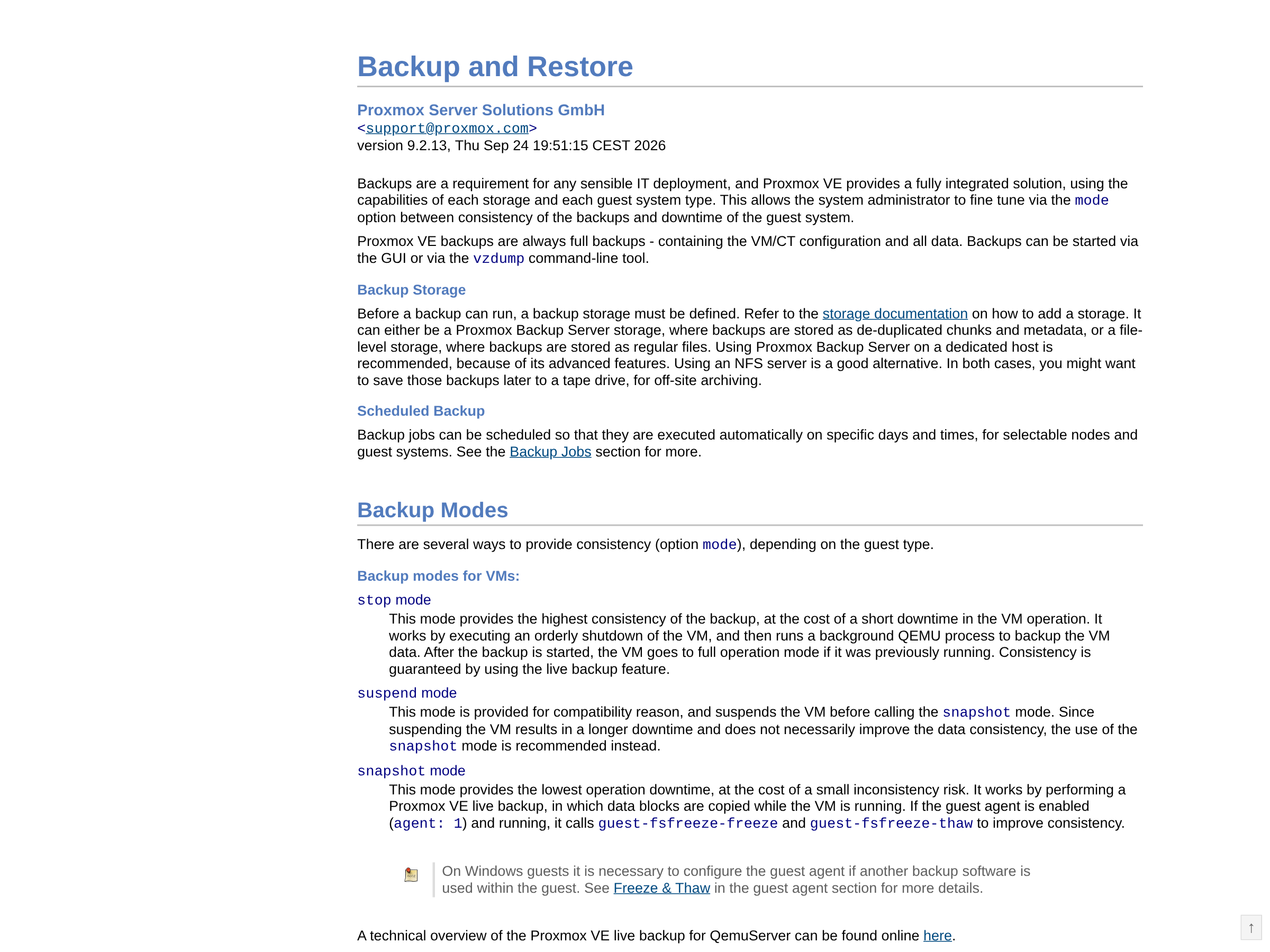
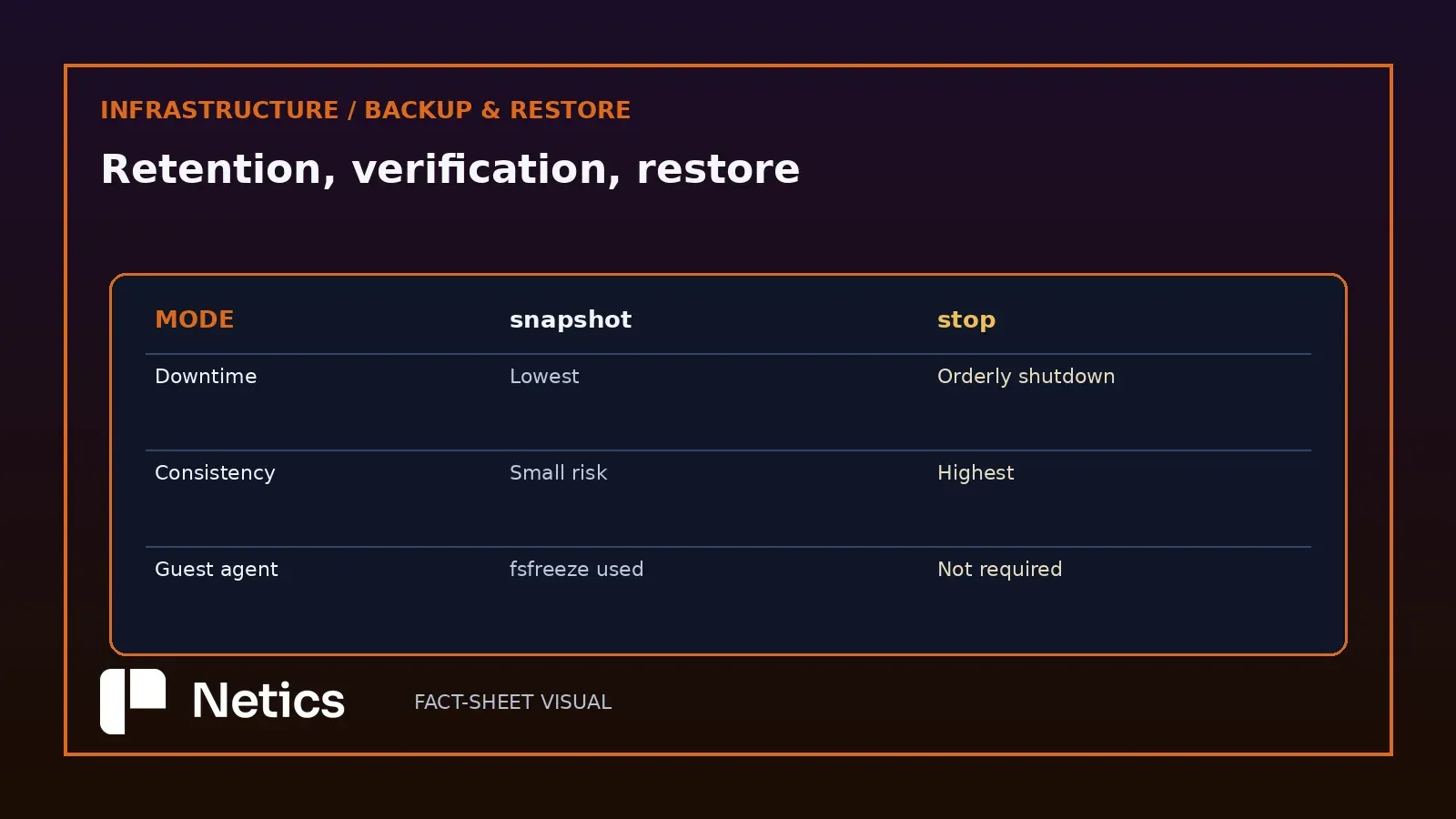
Stop mode provides the highest backup consistency. Its orderly VM shutdown creates a short period of downtime before a background QEMU process reads the data. In snapshot mode, blocks are copied while the machine runs. This mode has the lowest operation downtime and carries a small inconsistency risk.
The mechanism is worth knowing because it explains the risk. When the guest agent is enabled and running, snapshot mode calls guest-fsfreeze-freeze and guest-fsfreeze-thaw around the copy, so the filesystem flushes its buffers at the start and resumes writing at the end. Without a working agent, the copy is crash-consistent and nothing more.
The documentation keeps a third mode for compatibility. Suspend mode pauses the machine before calling snapshot mode, produces a longer interruption, and may leave consistency unchanged. The documentation recommends snapshot mode. Snapshot mode also has a caveat that surprises people watching the interface: because a background QEMU process reads the disks, a stopped machine can appear as running for a short time while the backup runs, and the machine itself never boots.
Fleecing protects guest writes while the target lags
A backup in snapshot mode installs a copy-before-write filter in the block layer. When the guest writes to a sector whose old contents the backup still needs, the copy-before-write filter completes the transfer of that data to the backup target before allowing the guest write to proceed. On a busy virtual machine writing to a slow target, that wait is the difference between a backup window and a complaint.
Fleecing keeps those old blocks in a local image until the backup has transferred them. This can improve guest input and output performance and requires additional storage space. The fleecing storage wants to be fast and local, thin provisioned, and able to discard blocks that have already been written to the backup.
Two details decide whether that works in practice. A dedicated fleecing storage keeps a full image from affecting other guests, and a file-based storage without discard support, such as NFS before version 4.2, needs preallocation turned off so the image can reuse space later. On a storage that has no thin provisioning at all, the full size of the original disk has to be reserved up front.
Retention counts what is kept, and pruning deletes the rest
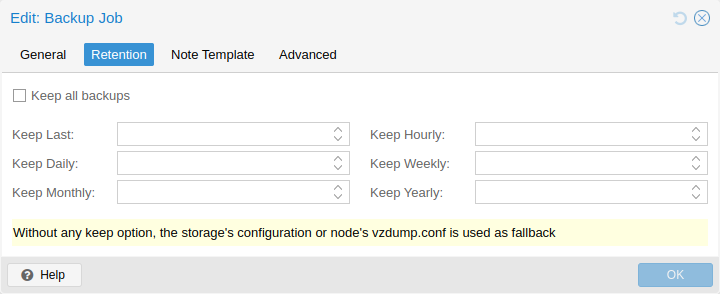
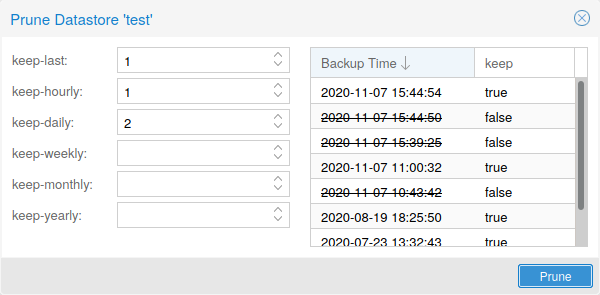
Retention is expressed through the prune-backups option, and the counters are deliberately simple. keep-all keeps everything and blocks any other option; keep-last counts backups; and the hourly, daily, weekly, monthly and yearly counters each keep the latest backup inside their own period while ignoring periods with no backup at all. Weekly periods follow the ISO week date system, so a week starts on Monday.
The counters are processed in the order listed, and each one only covers backups inside its own window. The next counter considers older backups and leaves those already covered by the previous counter unchanged. That ordering is why the documentation's worked example uses the counters together: keep-last=3, keep-daily=13, keep-weekly=8, keep-monthly=11 and keep-yearly=9 produce roughly two weeks of daily copies, two months of weekly copies, a year of monthly copies and a decade of yearly ones.
The chapter also gives the advice that matters more than any single number: keep a higher retention period than the environment minimally requires, because a policy can always be lowered later and a deleted backup cannot be recreated. That recommendation needs an operational boundary. The documented keep-all default protects against premature deletion. On a finite datastore, it can consume the free space needed by later backups. A tighter policy trades historical depth for capacity headroom. A practical decision rule is to define explicit counters from the data change rate and usable capacity, then require the oldest retained recovery point and the projected free-space floor to satisfy the estate's recovery policy before enabling pruning. Two further mechanisms protect what must survive: pruning ignores a protected backup and excludes it from retention calculations, and the max-protected-backups storage option caps how many protected backups a guest may keep, with a default of five for users without datastore allocation rights.
Pruning removes metadata, and garbage collection frees the chunks
Pruning removes snapshot metadata; garbage collection later reclaims chunks that no snapshot references. A prune run deletes the snapshot manifest, indices, blobs, log and notes; the referenced chunks remain in the datastore until a garbage collection run clears them.
Garbage collection works per datastore in two phases. The mark phase reads every index file and updates the access time of the chunks each one references; the sweep phase then compares chunk access times against a cutoff and deletes what falls outside it. The cutoff comes from the oldest running backup writer when one exists, and otherwise from 24 hours and 5 minutes before the collection started, which is why freshly unreferenced chunks can show up as pending removals at the end of a run.
That grace period exists because filesystems typically mount with the relatime option, which only updates an access time after a modification or after a day without access. Proxmox recommends scheduled runs, and describes a weekly interval as a good starting point for most setups. One consequence deserves attention before it becomes an incident: sensitive data inside a chunk outlives the snapshot that first contained it for as long as any other snapshot references it, and even after that until garbage collection removes it.
Verification reads the data back on a schedule
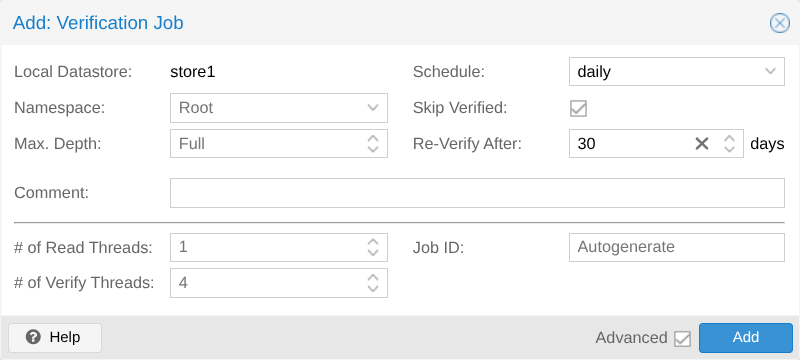
Verification is the step that turns a stored file into a claim anyone can defend. Proxmox Backup Server runs it through verify jobs: scheduled tasks that check stored data at an interval, with an option to skip snapshots already verified and a field that sets how long a successful verification stays valid.
The dialogs expose two thread settings, read-threads and verify-threads, which accept values from 1 to 32 and default to one reader and four verifiers. Those defaults are fine for a small datastore and worth raising on a large one, because verification is input and output bound and the interval is the thing being protected.
Proxmox's own guidance sets the cadence: re-verify all backups at least monthly even when earlier verifications succeeded, because physical drives degrade over time and bit rot turns a working backup into a corrupt one. The pattern the documentation suggests is a frequent job that checks new and expired backups, plus a weekly or monthly job that re-reads everything, so a restore never becomes the first time a bad chunk is discovered.
The restore drill is the part that produces evidence
Restores run from the interface or from two command line utilities: pct restore for containers and qmrestore for virtual machines. Both accept a bandwidth limit in kibibytes per second, and passing 10,240 caps a restore at roughly 10 MiB/s so the guests already running keep their access to storage; passing zero removes the limits for a restore that genuinely has to be fast.
Restore throughput also depends on write limits. A per-storage write limit can be set once with pvesm set STORAGEID --bwlimit restore=KIBs, and a per-restore limit overrides it in the direction that is stricter. On a Proxmox Backup Server target, live restore starts the machine as soon as the restore begins and copies data in the background with priority for the chunks the machine touches, which helps a large guest with a small working set and carries the caveat the documentation states: if a live restore fails, the machine is left in an undefined state and data written during the failed restore is very likely lost.
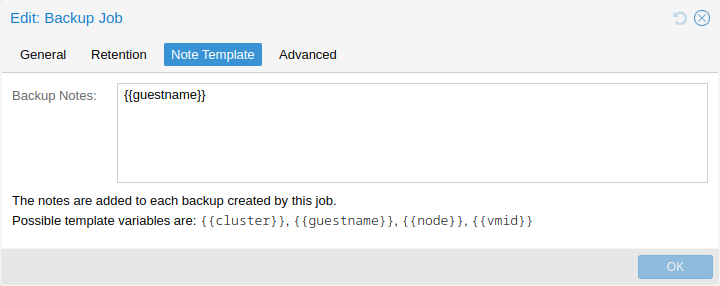
A useful drill can follow a straightforward procedure. Take the newest backup of a guest that matters, restore it to a new VMID on a scratch storage, start it, and write the elapsed minutes into the backup notes so the number travels with the archive. The notes template supports {{cluster}}, {{guestname}}, {{node}} and {{vmid}}, which is enough to make every archive self-describing without anyone typing a host name by hand.
What to write down after the first drill
A short record preserves the evidence produced by the drill. Write down the mode each job uses and whether the guest agent is installed, the retention counters as a single line, the garbage collection schedule, the verification cadence, and the minutes a restore of your largest guest actually took.
Sizing a self-hosted estate and its backup target is covered on the sovereign infrastructure and cloud exit page. The earlier Netics comparison of Proxmox VE and VMware vSphere as an operational choice covers the platform decision; this one covers the part of it that people only test after an outage.
If the drill has never run in your estate, that is the finding; the restore drill and evidence record build on the documented Proxmox restore mechanisms. Use the backup checklist and record the elapsed time for one restored guest.
Sources
- Backup and Restore, Proxmox VE Reference Documentation, pve.proxmox.com
- Backup and Restore, Proxmox VE wiki, pve.proxmox.com
- Maintenance Tasks, Proxmox Backup Server Documentation, pbs.proxmox.com
Source: the Proxmox VE Backup and Restore chapter, the Proxmox VE Backup and Restore wiki page and the Proxmox Backup Server maintenance chapter. The backup modes, live backup behaviour, fleecing rules, retention counters and their processing order, protection behaviour, garbage collection phases and cutoff, verification job fields and defaults, the monthly re-verification recommendation, the restore utilities, bandwidth limits, live restore caveats and notes template variables all come from those pages. The drill procedure and the recording checklist are Netics method.