
Amazon Bedrock AgentCore Opens a Live Preview of the App a Coding Agent Is Building
AgentCore Session endpoints give each runtime session an authenticated URL, so a coding agent's Vite site opens in your browser while the agent edits the files, on ports you allow.

TL;DR
- An Amazon Bedrock AgentCore runtime is a managed sandbox that runs one AI agent session inside its own isolated microVM while the agent calls models and tools.
- AWS published a walkthrough on 30 October 2026 that keeps a Vite website running inside the agent's session and opens it in the developer's own browser.
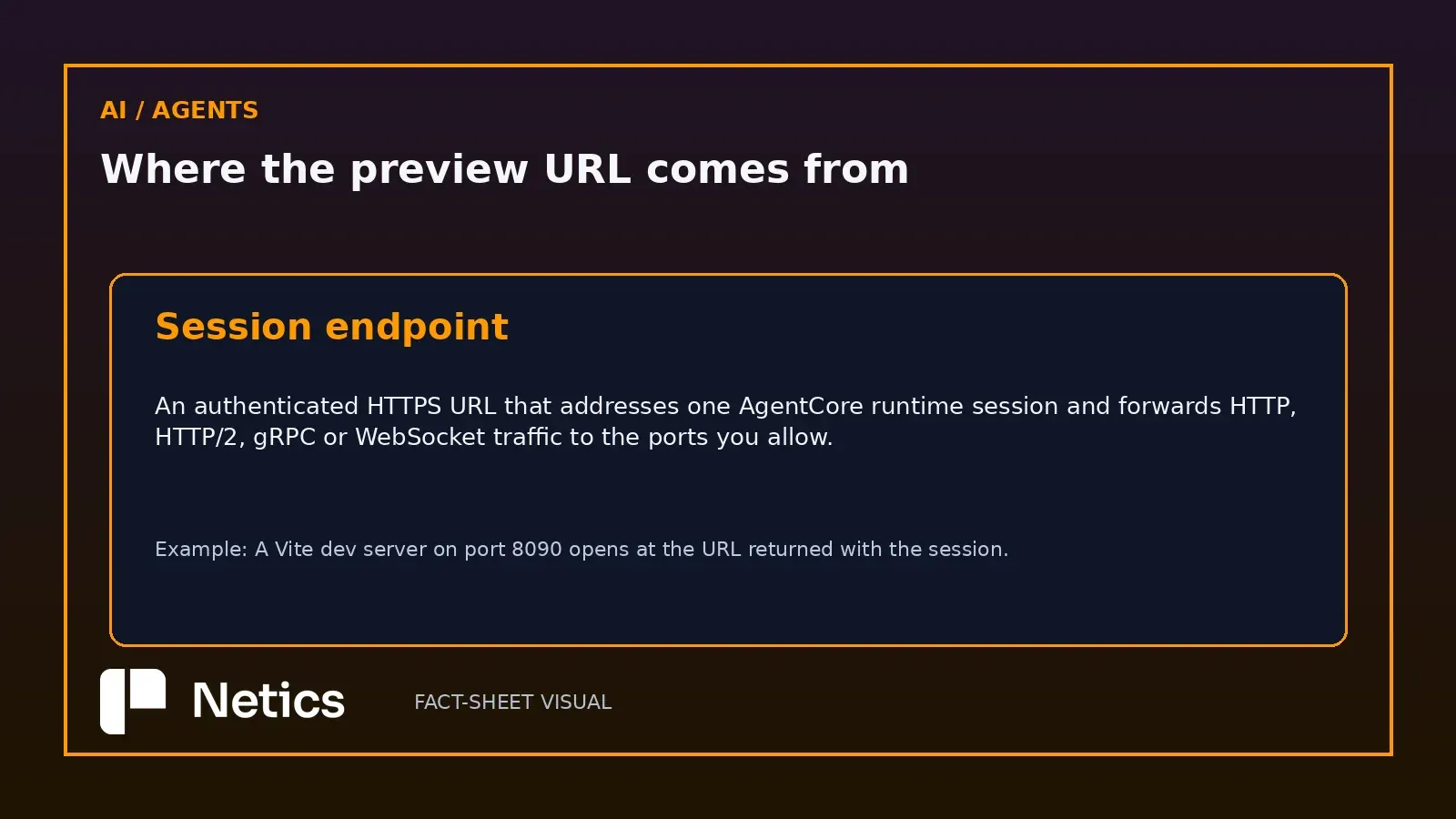
- A session endpoint is the authenticated URL that makes this work: it forwards the request method, path, query string, body and WebSocket connections to the ports you allow.
- allowedPorts takes one to five entries, each a single port or a range inside 8000 to 12000, and the application has to listen on 0.0.0.0 for the proxy to reach it.
- Every proxied request carries a SigV4 signature, or a bearer token checked by an inbound JWT authorizer, and the caller needs bedrock-agentcore:InvokeAgentRuntimeProxy on the runtime.
- The session URL arrives in the X-Amzn-Bedrock-AgentCore-Runtime-Session-Endpoint-Url response header, which SDKs expose as sessionEndpointUrl.
- Requests outside allowedPorts return 403 AccessDenied; requests without valid credentials can return 403 AccessDenied or 401 AuthenticationRequired, with an error code in a response header and an empty body.
- Session endpoints work with microVM runtimes, reach the internet over public HTTPS, and inbound AWS PrivateLink connections are unsupported.
- The interesting part for a platform team is the boundary: a preview URL that renders server-side code is an access-control decision with a port list attached.
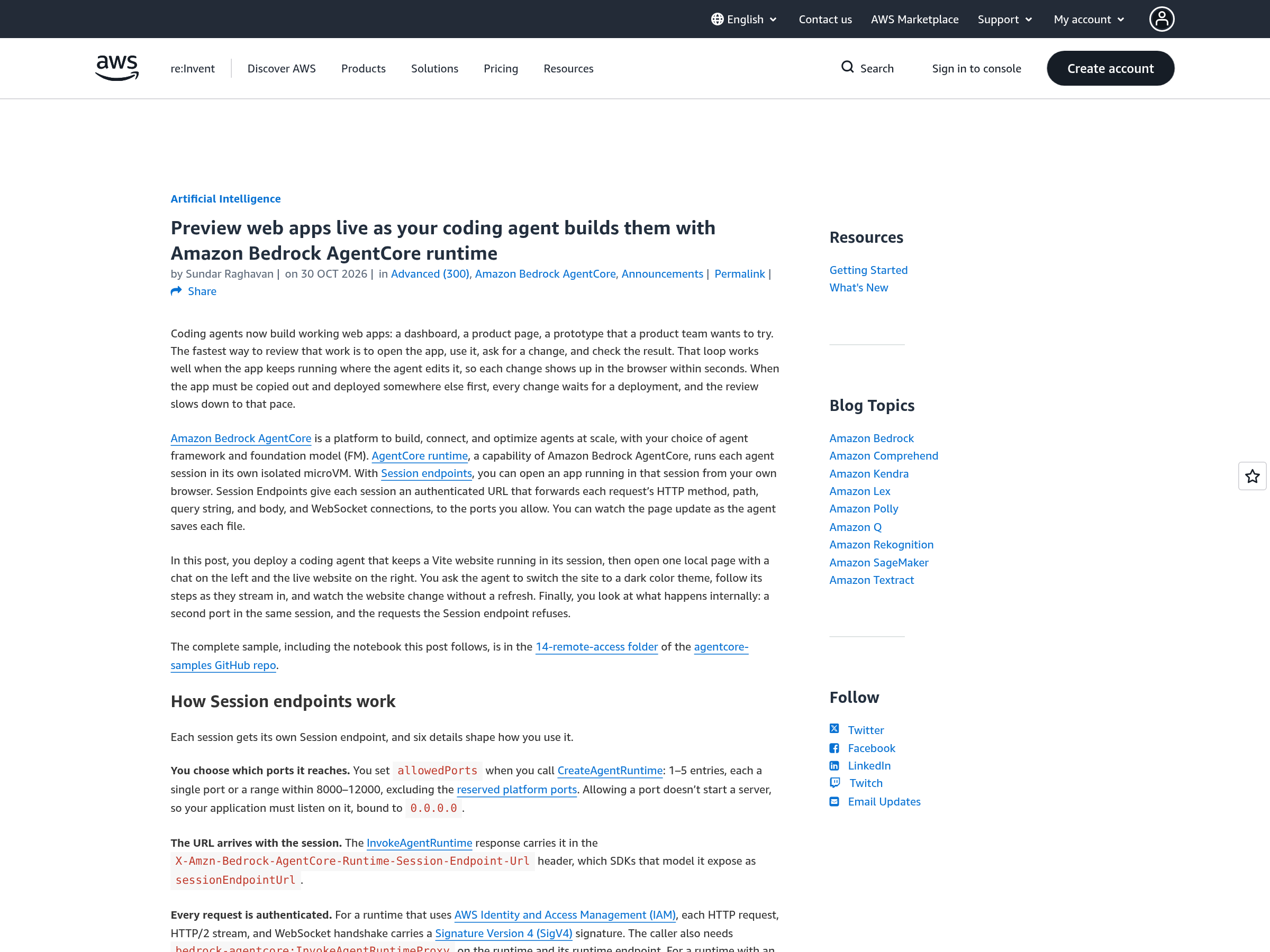
Coding agents write working web applications now, dashboards and prototypes and landing pages, and reviewing that work has become the slow part. The script is familiar: the agent writes files in a sandbox, the reviewer copies the result somewhere it can be opened, and the feedback loop waits on a deployment. AWS documented a way around that wait on 30 October 2026, and the mechanism deserves attention because it puts a live HTTP endpoint inside an agent's own session.
A session endpoint is an authenticated URL into the agent's microVM
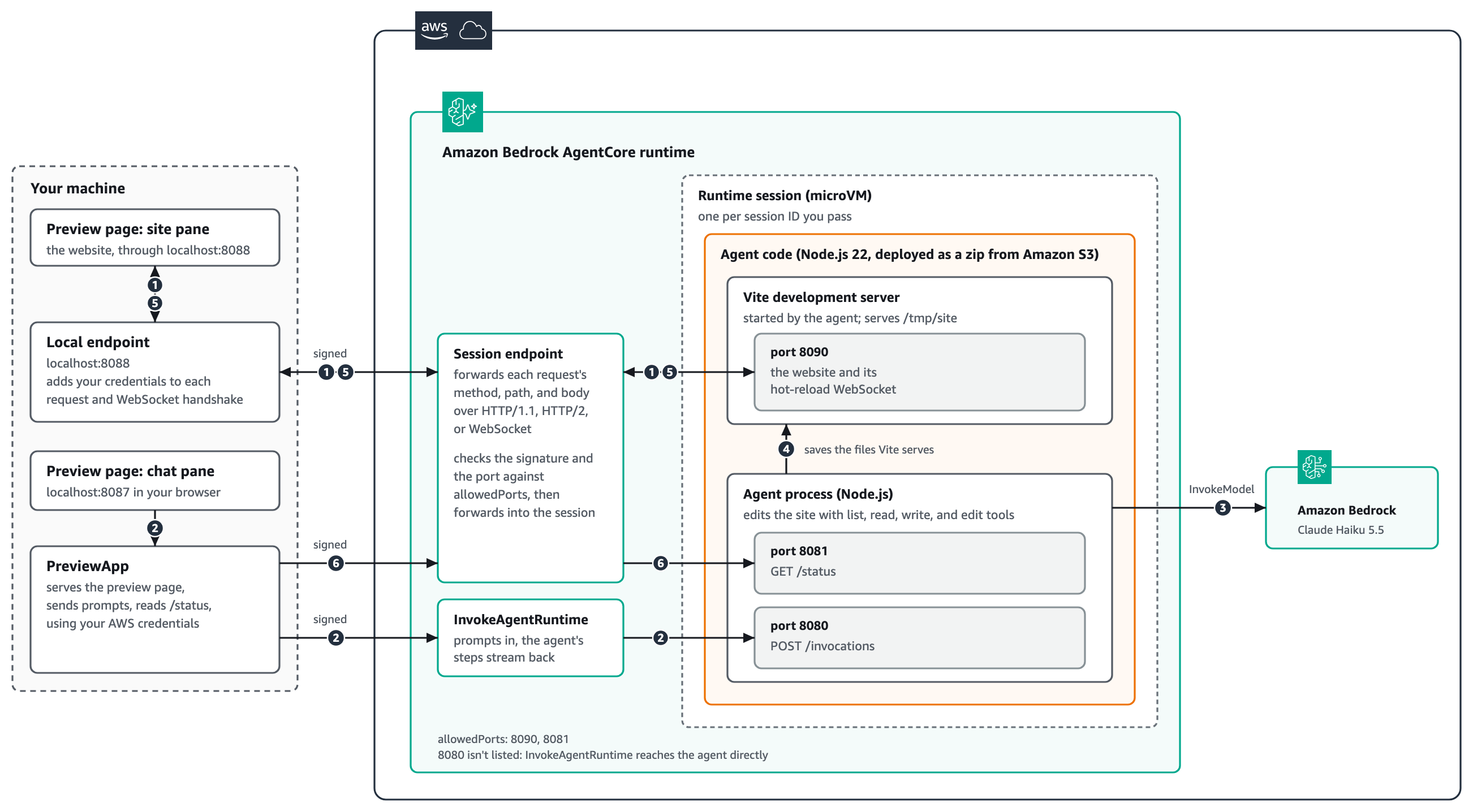
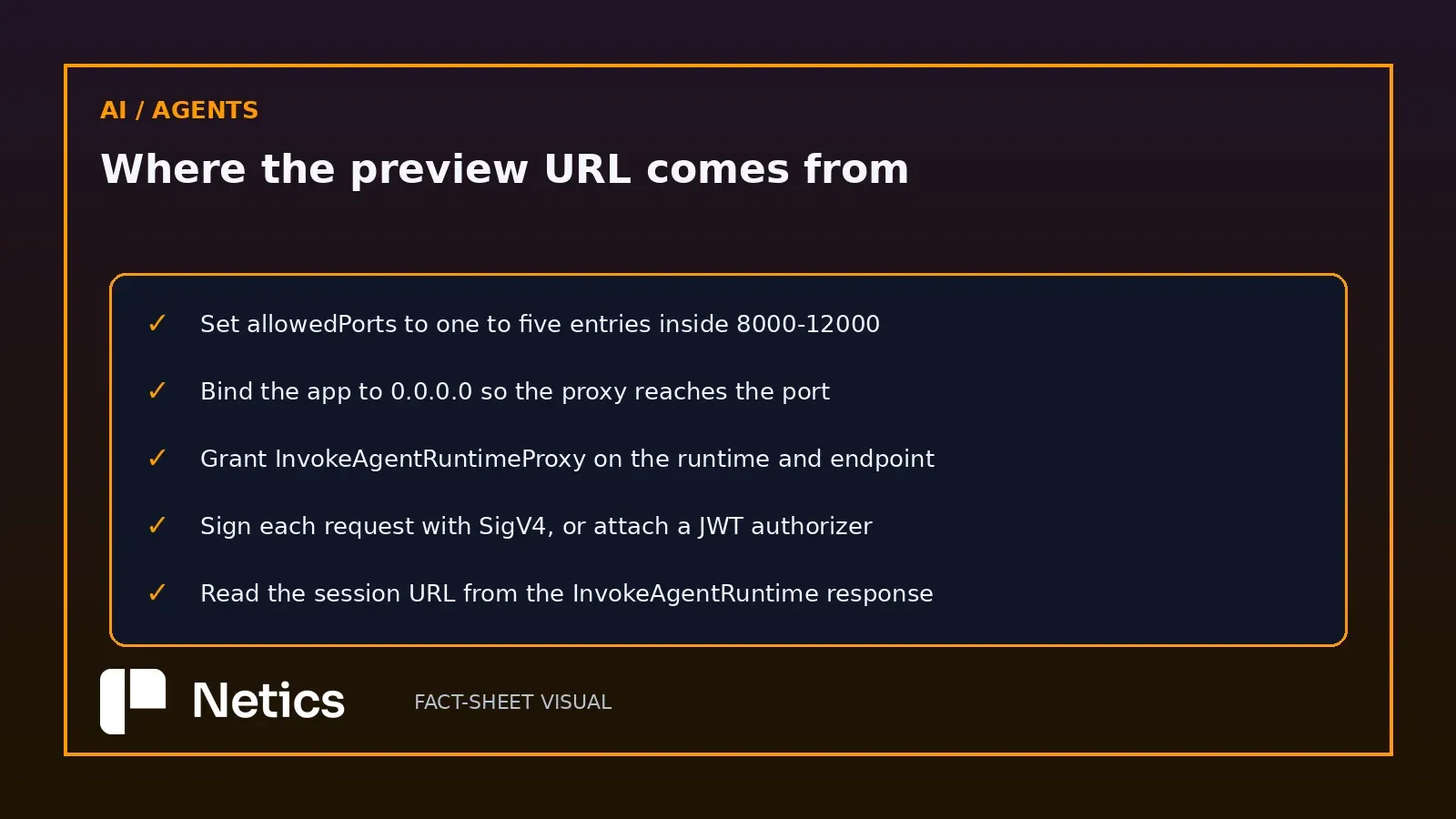
AgentCore runtime gives each agent session an isolated microVM, and Session endpoints give that session an address. The proxy forwards the HTTP method, path, query string and body, plus WebSocket connections, to the ports named in the runtime's allow-list. A URL takes the shape 8090--.runtime.bedrock-agentcore..on.aws, so the port rides in the hostname.
The sample keeps a Vite development server alive on port 8090 inside the session, serves a preview page locally, and lets the developer watch the site change as the agent saves files. The hot-reload WebSocket stays open through the proxy, which is what removes the refresh and, with it, most of the round trip.
allowedPorts takes one to five ports between 8000 and 12000
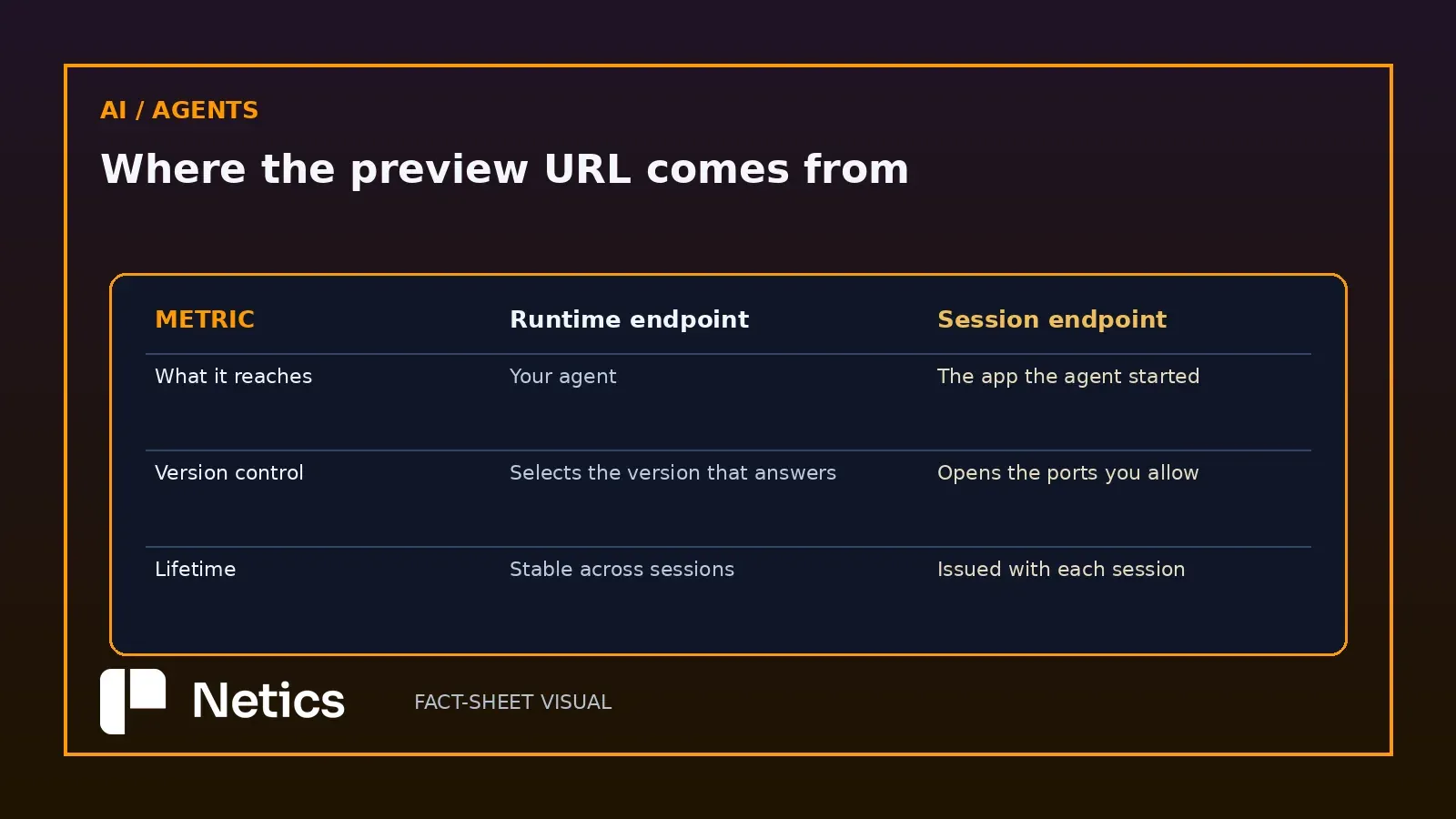
You set the list when you create the runtime. Each entry names a single port or a range inside 8000 to 12000, reserved platform ports stay out of reach, and the agent's application has to bind 0.0.0.0 because a server listening on localhost answers nobody through the proxy.
In the sample the allow-list holds 8090 for the website and 8081 for the agent's status route. Port 8080 stays out of the list on purpose: InvokeAgentRuntime reaches the agent directly, so the public proxy has no business there. Allowing a port starts nothing, which is the detail that trips people up on the first attempt.
Every proxied request carries a SigV4 signature or a JWT from your authorizer
A browser cannot add a Signature Version 4 header to the requests a page makes on its own, so the sample puts a small local endpoint on the developer's machine. That endpoint signs each request, and the signature travels through the Session endpoint, which checks it before forwarding anything into the session.
On the runtime side, IAM means every HTTP request, HTTP/2 stream and WebSocket handshake carries a SigV4 signature, and the caller also needs bedrock-agentcore:InvokeAgentRuntimeProxy on both the runtime and its endpoint. A runtime with an inbound JWT authorizer swaps the signature for a bearer token. The signing has to happen in something you control, and that is the whole reason the local endpoint exists.
Proxy refusals carry an HTTP status and an error code in a header
The walkthrough ends on the refusals, which is the part worth copying into your own test suite. A request to a port outside the allow-list returns HTTP 403 AccessDenied, while a request without valid credentials can return 403 AccessDenied or 401 AuthenticationRequired. The body stays empty and the error code sits in a response header, so a runtime refusal stays distinguishable from an error your own application returns.
Three deployment constraints belong next to that test. Session endpoint support is limited to microVM runtimes, the URLs are reachable over public HTTPS, and AWS PrivateLink is unsupported for inbound connections. A team that assumed a private network path now knows to plan for a public one.
Netics' take: a preview URL is an access-control surface
Agent permissions have become a deliberately boring design problem, and this release moves the same question to the network layer. A session endpoint serves whatever the agent wrote, on a public HTTPS hostname, to anyone holding a valid credential for the proxy.
The consequence is practical. Scope the proxy permission to the runtimes that need a preview, keep the port list as short as the demo keeps it, and put an expiry on the sessions that carry a preview. The principle of task-scoped authority for agent access applies here in a literal sense: the endpoint grants exactly the ports and the session that the task needs.
What this means for businesses: scope the proxy role and the port list
The build is small and the governance is the work. Four steps cover it.
- Read the session URL from the InvokeAgentRuntime response and store it next to the session id, so a reviewer knows which preview belongs to which run.
- Keep the allow-list at the minimum the app needs, and leave the agent's own control port off it.
- Give the proxy permission its own IAM policy, attached to the role that runs the preview and nothing else.
- Test a port that should fail. A 403 on an unlisted port is the cheapest regression test in the whole stack.
Teams that run agents on their own hardware face a related decision: a self-hosted AI agent platform puts the sandbox and the preview inside infrastructure you already operate, which changes who holds the credential the proxy checks.
The demo ends where most production work begins: a preview that opens in a browser, a refusal that arrives with a code, and a port list short enough to read out loud.
Sources
- Preview web apps live as your coding agent builds them with Amazon Bedrock AgentCore runtime, Sundar Raghavan, aws.amazon.com, 2026-10-30
- Amazon Bedrock AgentCore session endpoints, docs.aws.amazon.com/bedrock-agentcore/latest/devguide
Source: the AWS Machine Learning blog post of 2026-10-30 and the AgentCore session-endpoint documentation page, read on 2026-10-31. The microVM per session, the forwarded method, path, query string, body and WebSocket traffic, the one-to-five entry allow-list inside 8000 to 12000, the 0.0.0.0 binding requirement, the 8090 and 8081 entries with 8080 deliberately excluded, the SigV4 signature on each HTTP request, HTTP/2 stream and WebSocket handshake, the bedrock-agentcore:InvokeAgentRuntimeProxy permission on the runtime and its endpoint, the JWT authorizer alternative, the session URL hostname shape, the sessionEndpointUrl field, the 403 AccessDenied port refusal and the 403 AccessDenied or 401 AuthenticationRequired credential refusal, each with an error code in a header, and the microVM-only, public HTTPS and no-inbound-PrivateLink constraints all come from those two pages. The reading of the preview URL as an access-control surface and the four operating steps are Netics analysis.