
Google Cloud Spend Caps Reach General Availability With an API and Live Costs
Google Cloud spend caps are generally available with an API on the Budgets resource, live cost reports that explain a trigger, and an automatic monthly reset, while Provisioned Throughput ke

TL;DR
- A spend cap is a Google Cloud budget rule that pauses eligible services in a project once usage cost passes the budget's target amount, and it leaves the resources themselves in place.
- Google made spend caps generally available on 30 October 2026, after a preview period.
- The release adds three things: a spend caps API on the existing Cloud Billing Budgets API, live cost reports showing the estimated costs that triggered enforcement, and a monthly reset at the start of the next budget period.
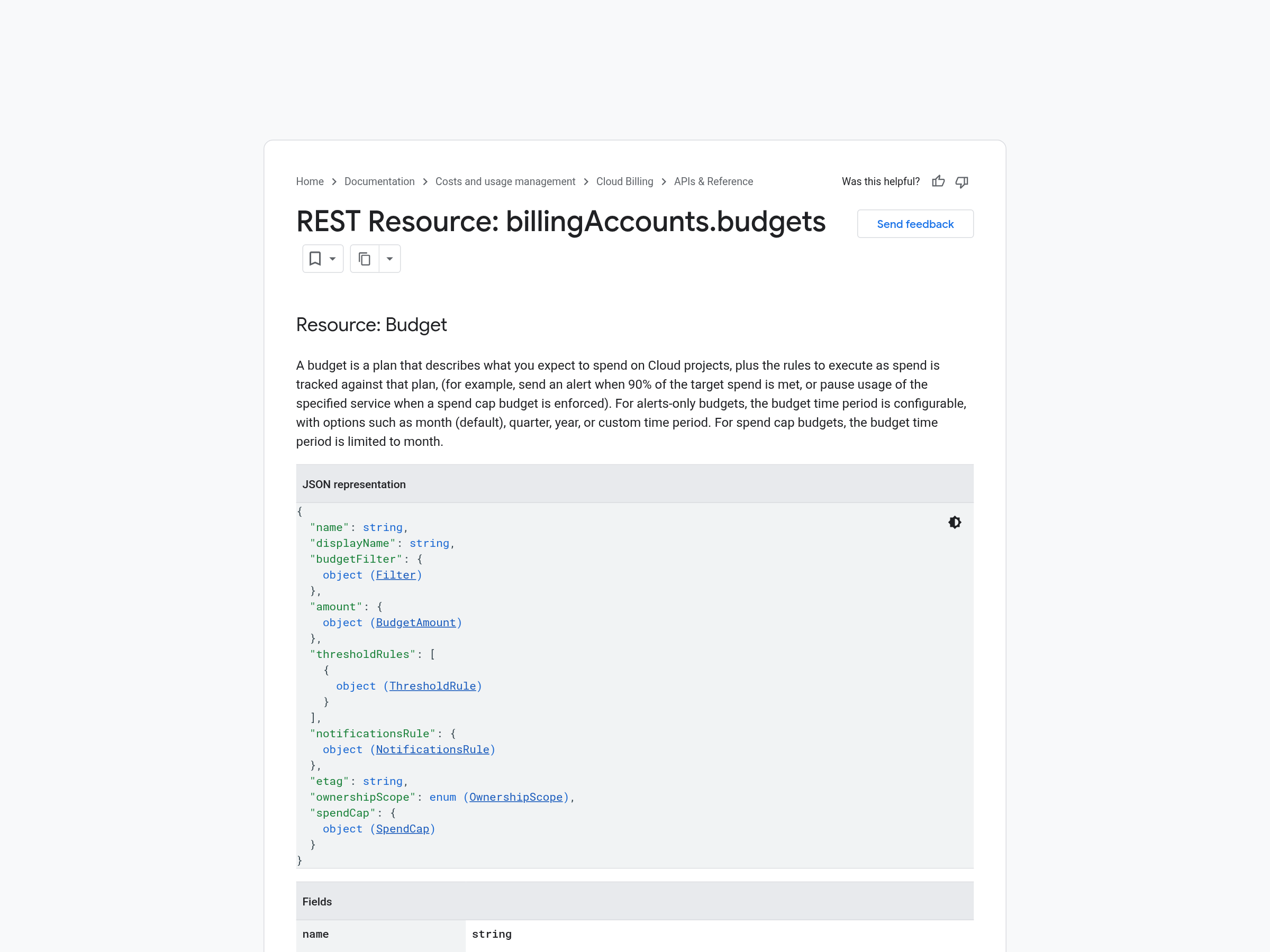
- The budgets API carries a spendCap object, and a spend cap budget accepts exactly three CURRENT_SPEND threshold rules at 50%, 80% and 100%, with FORECASTED_SPEND rules rejected.
- A cap pauses usage for an eligible project or service once its budget is breached.
- During the current budget period, an enforced cap can be lifted manually; Google also lifts it automatically at the start of the next budget period, and services might take up to one hour to return fully to normal after a lift.
- Google recommends applying strict low-dollar caps to sandboxes and testing clusters first, and confirms the default alerts to billing administrators and project owners at 50%, 80% and 100%.
- The guardrail controls spend inside a billing account and leaves the architecture decisions, such as which workload belongs on reserved capacity, to the people running it.
A budget is a monitoring object. It watches spend, sends alerts at thresholds you choose, and reports on what happened. A spend cap adds an action to that object: when usage cost crosses the target, eligible services in the project stop serving paid requests.
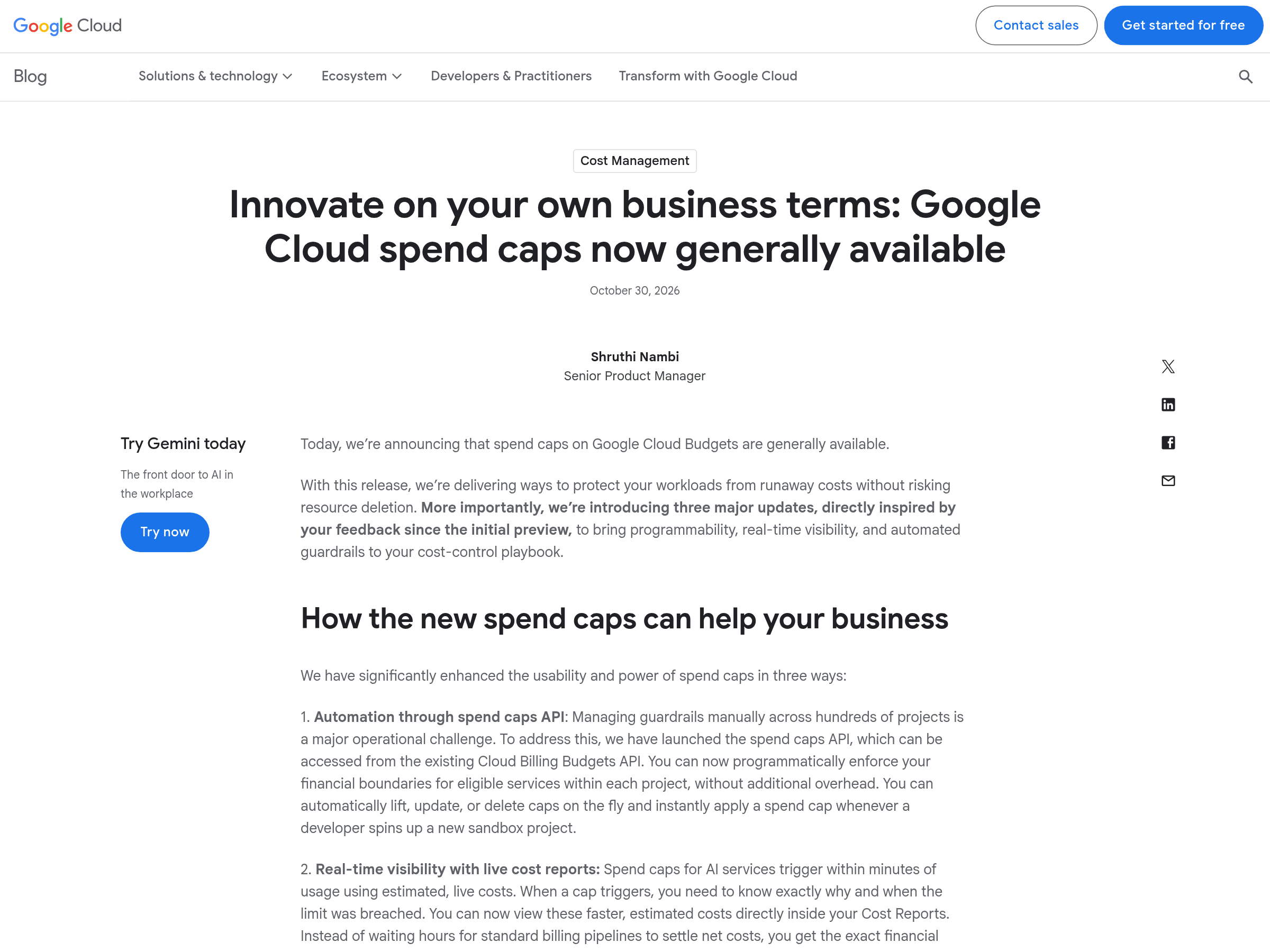
That distinction is the whole feature, and Google has now made it generally available with the controls a team needs to run it at scale. The announcement is dated 30 October 2026 and comes from Shruthi Nambi, a senior product manager on the cost management team, who says the feature protects workloads from runaway costs and leaves resources in place.
A spend cap is a budget rule that pauses eligible services when usage crosses the target
Every Cloud Billing budget answers the same question: what did this scope cost against the amount I expected. The budget carries a scope, an amount, a time period and threshold rules, and the alerts fire against those thresholds.
A spend cap budget attaches a spendCap object to that structure. When the target amount is crossed, services named as eligible in the project stop serving paid requests, and the resources stay where they are, which is the part operators notice first: the resources remain in place throughout enforcement.
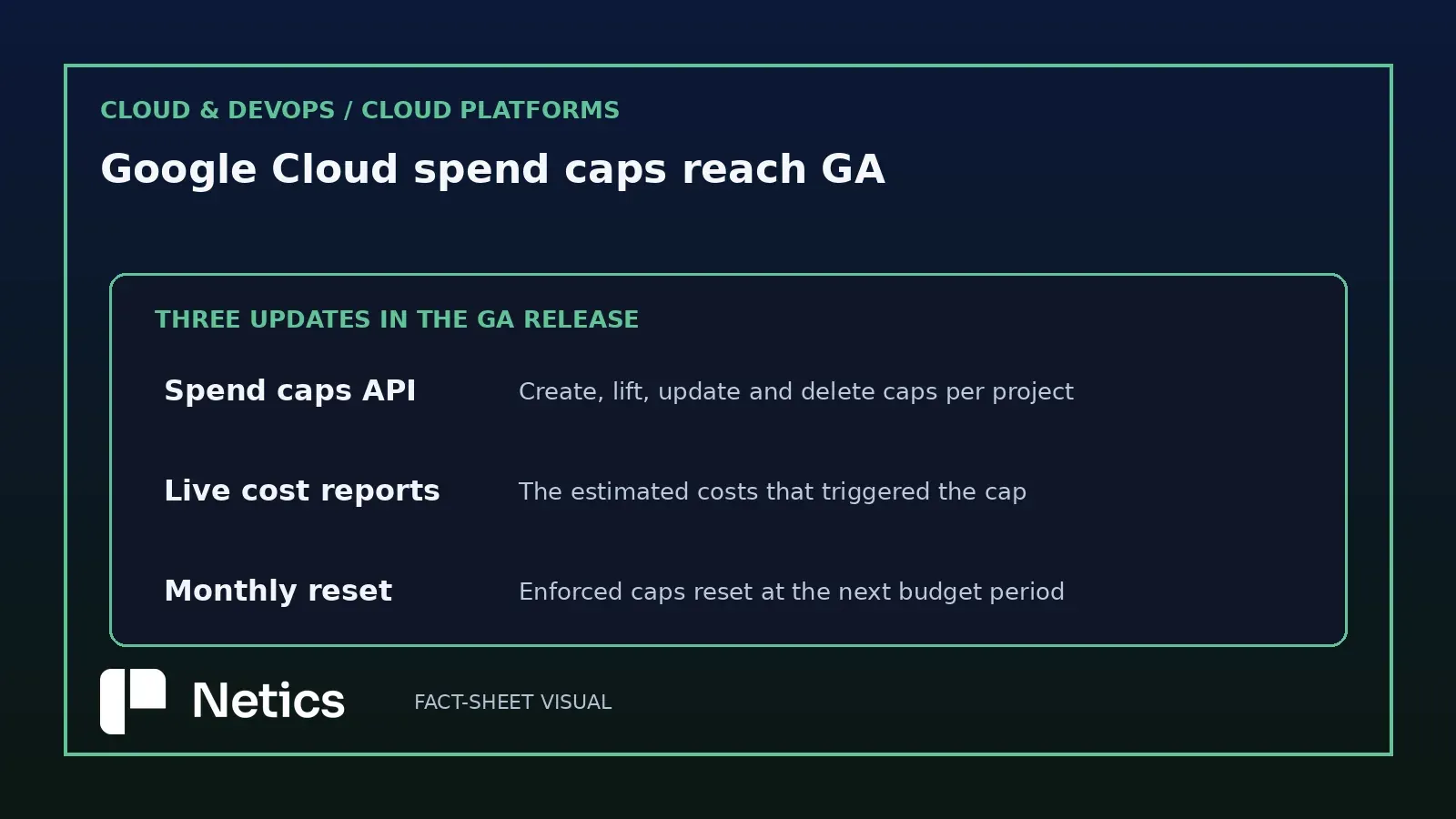
Three changes came with the GA release: an API, live cost reports and a monthly reset
Google describes the preview feedback as the source of all three updates. The first is programmability: managing guardrails by hand across hundreds of projects creates a major operational burden. The second is visibility, since a cap that fires without an explanation costs the on-call engineer the same evening. The third is maintenance, since a cap that stays enforced until someone clicks a button becomes its own recurring task.
The release notes for each of those is worth reading in the order the engineering work happens: you create caps programmatically, you read the costs that triggered one, and you decide what should happen at the next period boundary.
The API reuses the Cloud Billing Budgets resource and adds a spendCap object
The spend caps API arrives through the existing Cloud Billing Budgets API, so a team that already creates alerting budgets has the client library and the IAM surface in place. Google's examples cover lifting, updating and deleting caps on the fly, and applying a cap at the moment a developer creates a new sandbox project.
The API reference documents the constraints that come with the field, and they matter for anyone writing the automation:
- A spend cap budget needs exactly three threshold rules, on
CURRENT_SPEND, at 0.5, 0.8 and 1.0. FORECASTED_SPENDthreshold rules are unsupported for spend caps.notificationsRulemust be set, withenableProjectLevelRecipientstrue,disableDefaultIamRecipientsfalse or unset, and bothpubsubTopicandmonitoringNotificationChannelsempty.ownershipScopemust beOWNERSHIP_SCOPE_UNSPECIFIEDorALL_USERS, andBILLING_ACCOUNTis unsupported.- A spend cap budget uses a month as its time period.
- While the cap is
ENFORCED, onlyspendCap.input_statecan change in a patch request, and any other field change fails.
Those constraints describe a deliberately narrow resource. The three fixed thresholds encode Google's own alert ladder, the empty Pub/Sub topic rules out routing cap notifications through your own pipeline, and the monthly period rules out a quarterly cap. A team building a Terraform module around this should expect a thin object with strict validation.
Live cost reports show the estimated costs that triggered enforcement
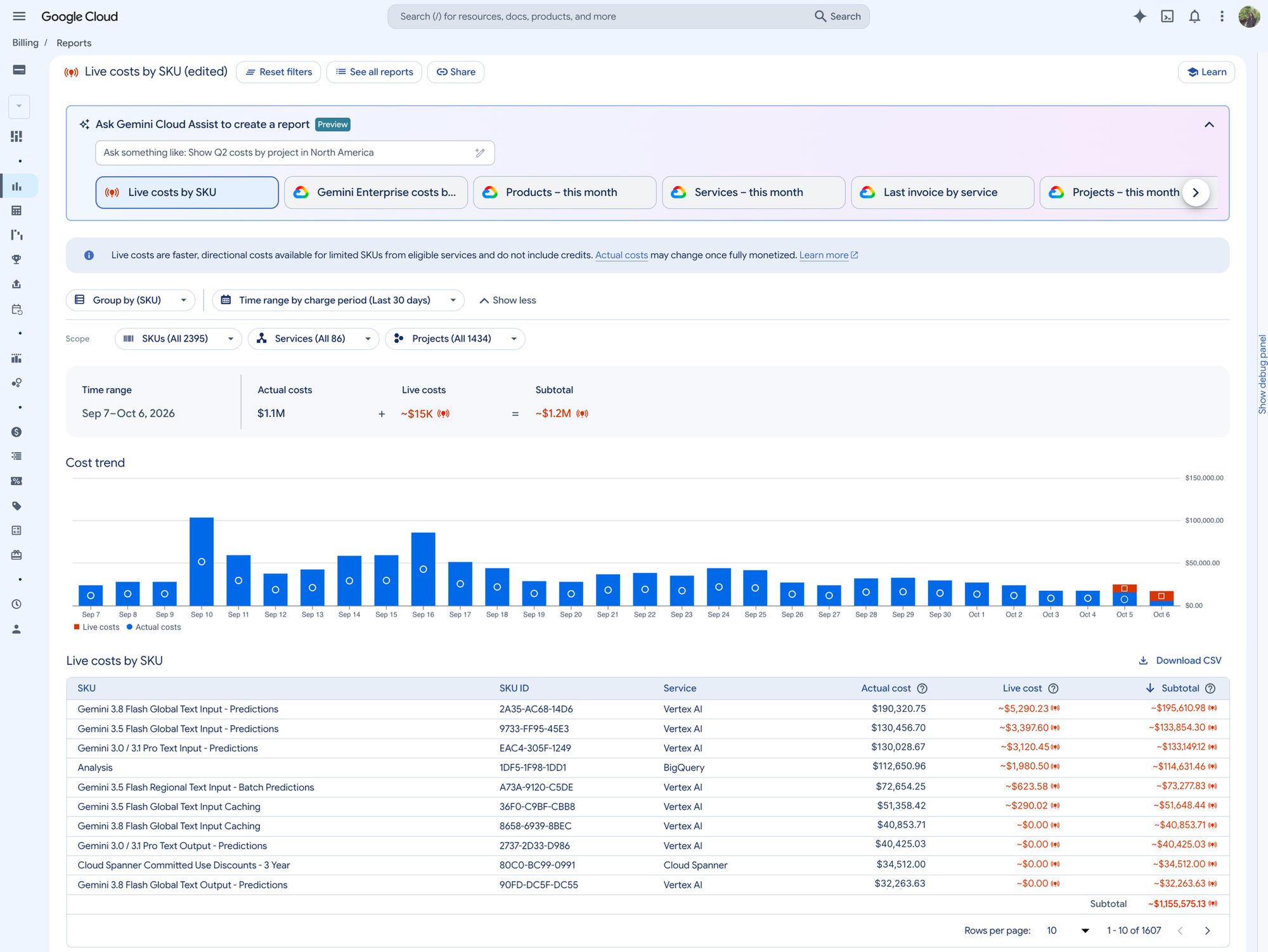
Spend caps for AI services trigger within minutes of usage, and Google says they run on estimated live costs. The new cost report view shows the financial snapshot that triggered enforcement and gives the engineer immediate context for root-cause analysis.
For a team, this changes the sequence of an incident. The standard billing pipeline takes hours to settle net costs, so the initial conversation starts from a total.
Act on the estimate immediately; discounts and credits can leave the settled bill slightly different. Treat the report as the reason the cap fired, then reconcile the amount against the invoice when the billing pipeline closes.
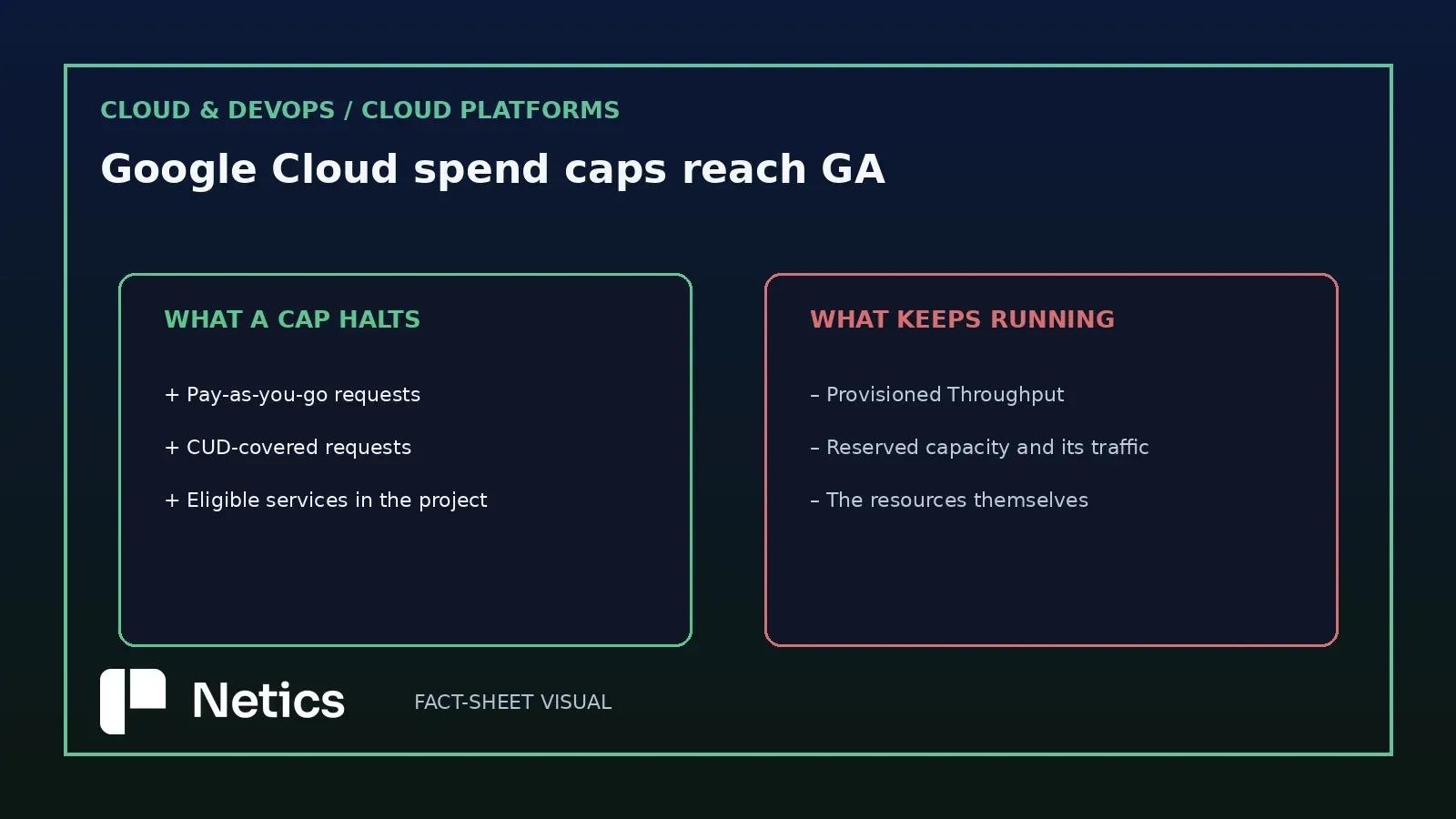
How a cap treats pay-as-you-go, CUD-covered usage and ongoing fixed usage
Google's current documentation says enforcement pauses all new usage for the scoped service, including on-demand, pay-as-you-go usage and usage covered by commitments such as CUDs; persistent resources remain active and their ongoing fixed usage continues to accrue charges. In-flight requests run to completion.
That single sentence should drive the architecture conversation in any team that runs both models of capacity. Teams should map each cap to the workloads inside its project-and-service scope before relying on it during an incident. Test the pause behavior with a non-production workload and record the result in the runbook.
The failure mode to avoid is discovering the cap's workload boundary during an incident. Write down which workloads fall inside each project-and-service scope, keep that list beside the cap configuration, and classify every new AI workload before the first month closes.
An enforced cap lifts manually during the current period or automatically at the next one
The announcement documents the automatic monthly reset, and the API reference explains the manual lift path; the operational risk is the gap between recovery at the next period boundary and a same-period recovery that requires manual action.
The announcement says automated monthly resets mean enforced caps reset and blocked services resume at the beginning of the next month, with the manual override kept for teams whose governance requires an audit first. The Billing documentation lists three spend cap statuses, and describes Enforced as services paused during the current budget period. A manual lift restores usage during that period; the automatic lift occurs at the start of the next period, and services might take up to one hour to return fully to normal after a lift. The API reference supplies the mechanism the announcement implies: while the cap is enforced, setting spendCap.input_state to AWAITING_NEXT_PERIOD lifts it, and the cap resets for the next budget period.
A team that plans a monthly automatic resume should verify the behaviour in one project before relying on it for a production workload, and should decide what happens to in-flight requests at the boundary. Google says services might take up to one hour to return fully to normal after a cap is lifted, so that delay belongs in the runbook.
Google recommends starting with non-production projects and three alert thresholds
Google's own deployment advice is the least surprising part of the release and the most useful. Apply strict, low-dollar caps to developer sandboxes, testing clusters and experimental AI agent playgrounds first, and treat production once the automation and the runbook exist.
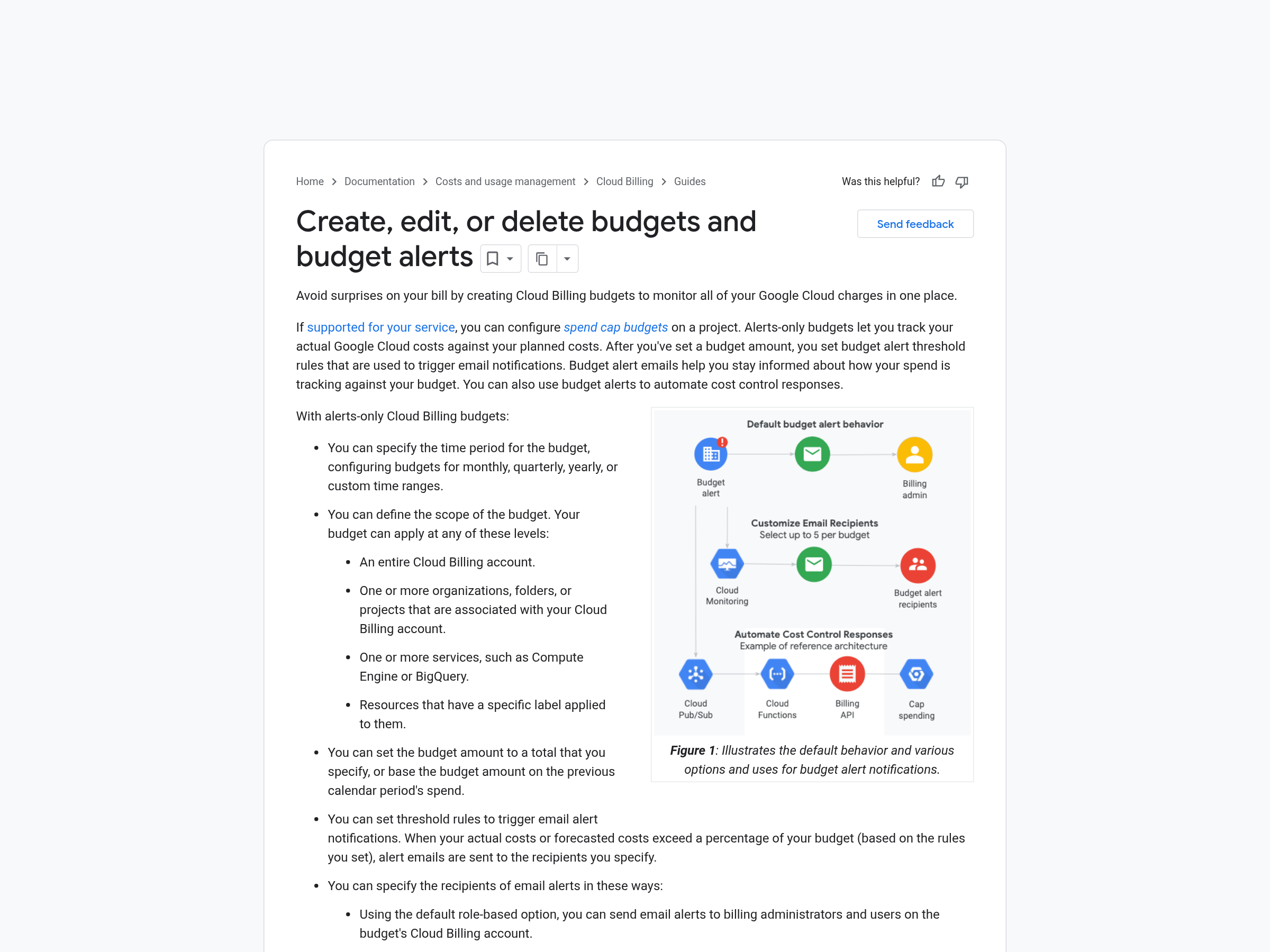
The default alerts go to billing administrators and project owners at 50%, 80% and 100% of the cap, so the operational work is making sure those roles hold the right people. Spend caps permissions can be added to custom roles, which lets a platform team delegate cap management through a custom role.
The guardrail covers the bill and leaves architecture decisions to people
Google pairs spend caps with Early Anomalies Detection in its own playbook: the anomaly detector watches early cost signals daily and points at the SKU behind a trend, and the cap enforces once a budget is breached. Together, the two controls form a sequence: the anomaly detector flags emerging cost drift, then the cap enforces once the budget is breached.
The decision that created the exposure remains with the team. A cap stops paid requests after a project passes its target. The team then chooses the experiment's model size, the batch job's capacity model and the appropriate budget for the sandbox project.
A small team can use the following practical sequence. Attach a low cap to every sandbox project at creation, in the same automation that creates the project, which is exactly what the API enables. Set the three alerts to a role someone actually reads. Put the cap amount and the resume behaviour in the runbook next to the on-call instructions.
For further context, see Netics' overview of cloud infrastructure controls. The broader question of what a euro of cloud spend buys in Europe is also covered in a comparison of cloud sovereignty cost figures, and a spend cap is the instrument that keeps that comparison honest month to month.
Sources
- Innovate on your own business terms: Google Cloud spend caps now generally available, Shruthi Nambi, cloud.google.com, 2026-10-30
- Create, edit, or delete budgets and budget alerts, cloud.google.com/billing/docs/how-to/budgets
- REST Resource: billingAccounts.budgets, cloud.google.com/billing/docs/reference/budget/rest/v1/billingAccounts.budgets
Source: the Google Cloud announcement of 2026-10-30, the Cloud Billing budgets documentation and the billingAccounts.budgets API reference, read on 2026-10-30. The three GA updates, the API access path through the Budgets API, the live cost report behaviour, the monthly reset, the no-deletion framing, the 50%, 80% and 100% default alerts, the Provisioned Throughput exception, the non-production advice, the custom role note, the Early Anomalies Detection pairing, the Configured, Enforced and Lifted statuses, the one-hour resume note, the three CURRENT_SPEND threshold rules, the rejected FORECASTED_SPEND rules, the notificationsRule restrictions, the ownershipScope restriction, the monthly period limit and the AWAITING_NEXT_PERIOD input state all come from those pages. The architecture reading and the small-team checklist are Netics analysis.