
A Minimal CI/CD Pipeline for a Small Team: What to Automate First
The order a small team should automate its delivery pipeline in, from the test suite on every push to the deployment gate, with what the GitHub and GitLab documentation actually commits to a

TL;DR
- A CI/CD pipeline is an automated sequence that builds, tests and deploys software every time somebody changes the code, and it is described in a file that lives next to the code.
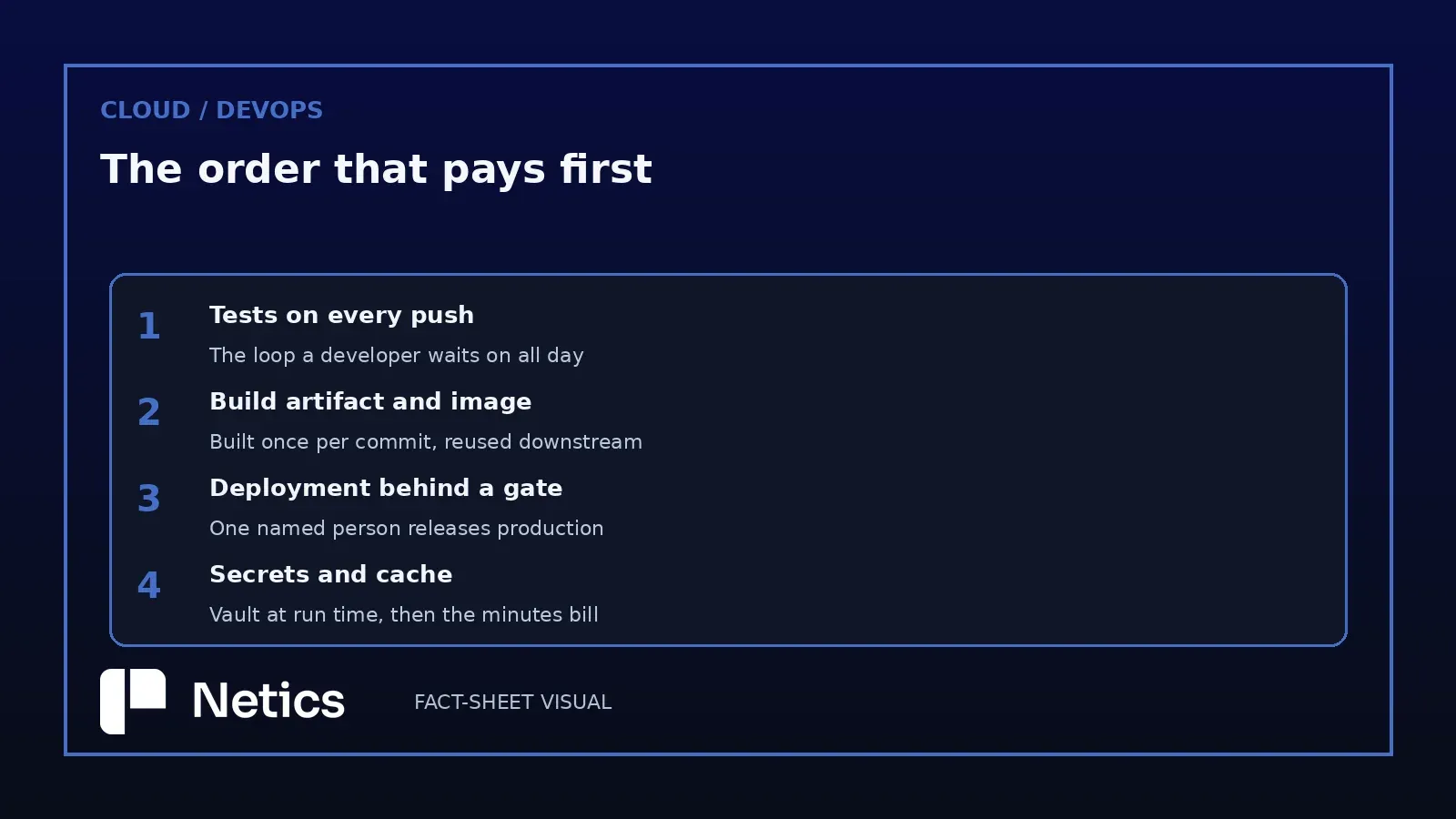
- The first thing to automate is the test suite that runs on every push, because it gives developers feedback on each change.
- The build artifact and the container image come second, since a deployment consumes those outputs and nothing else.
- The deployment job follows the build artifact and sits behind a manual gate, so a person keeps the last word before production changes.
- Secrets load from the runner environment at run time, and caching plus concurrency settings decide what the minutes cost.
- Netics analysis organizes the rollout into six phases in a fixed order, and its first audit is a careful read of the pipeline file that already exists.
Consider a hypothetical small team in this situation. The deploy works, nobody remembers the exact sequence of commands, and the one person who does is on holiday. The pipeline can stay small when the team limits its scope to the delivery steps described below.
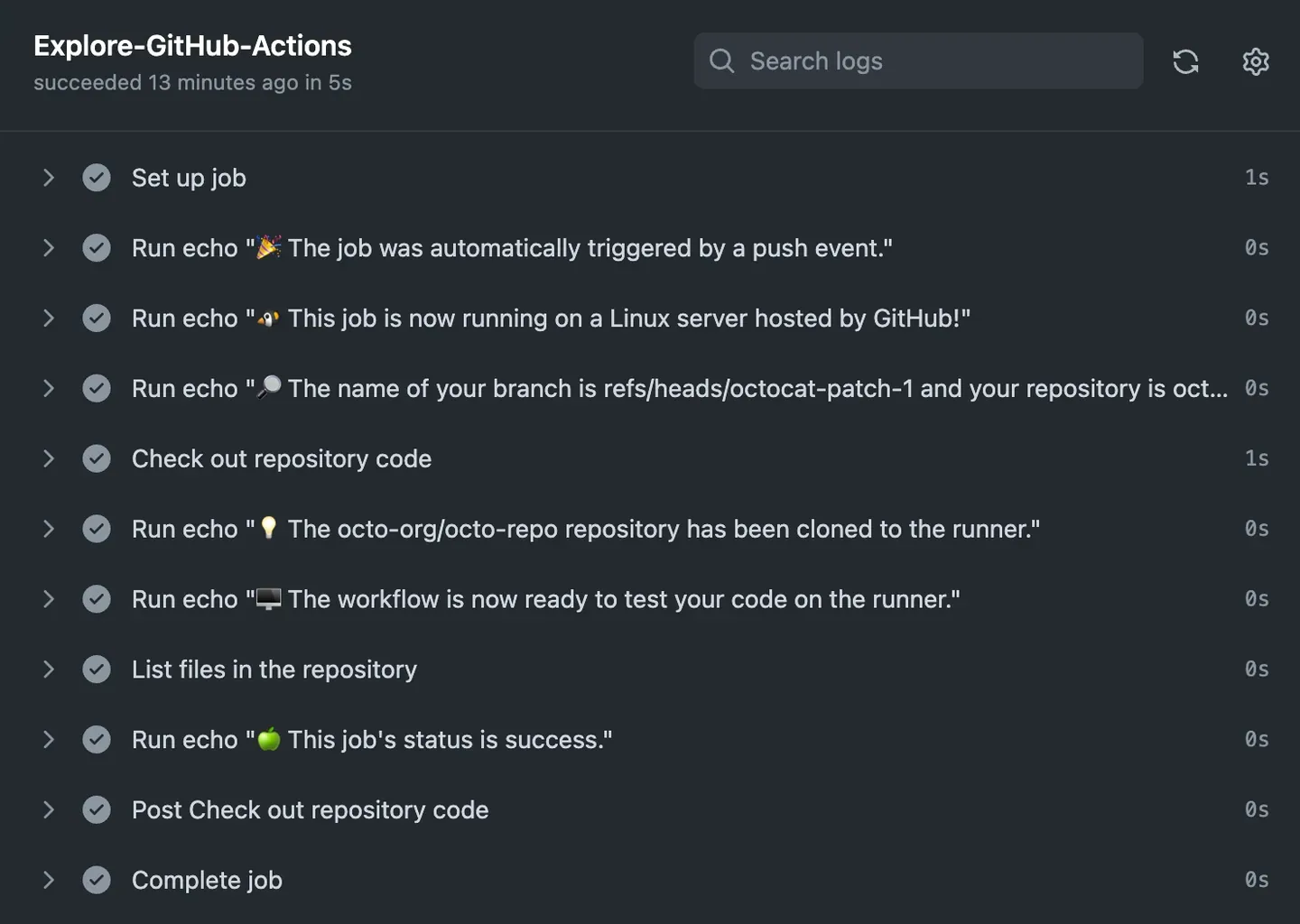
The GitHub Actions quickstart supplies background facts about workflow files, push triggers and run results, and GitLab's CI/CD pipeline and YAML references supply additional platform facts; the article's subject and six-phase ordering are Netics planning analysis. It starts with the cheapest automation that pays back the same phase.
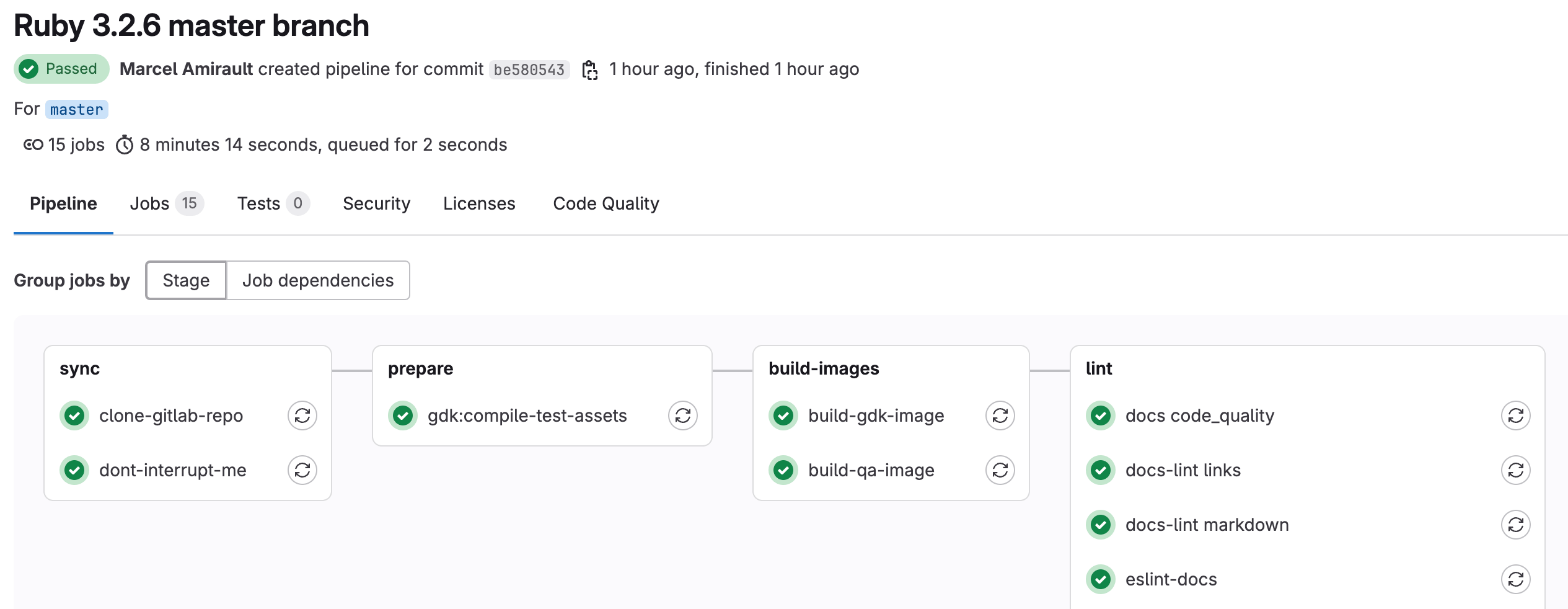
A Pipeline Runs Stages of Jobs on a Machine
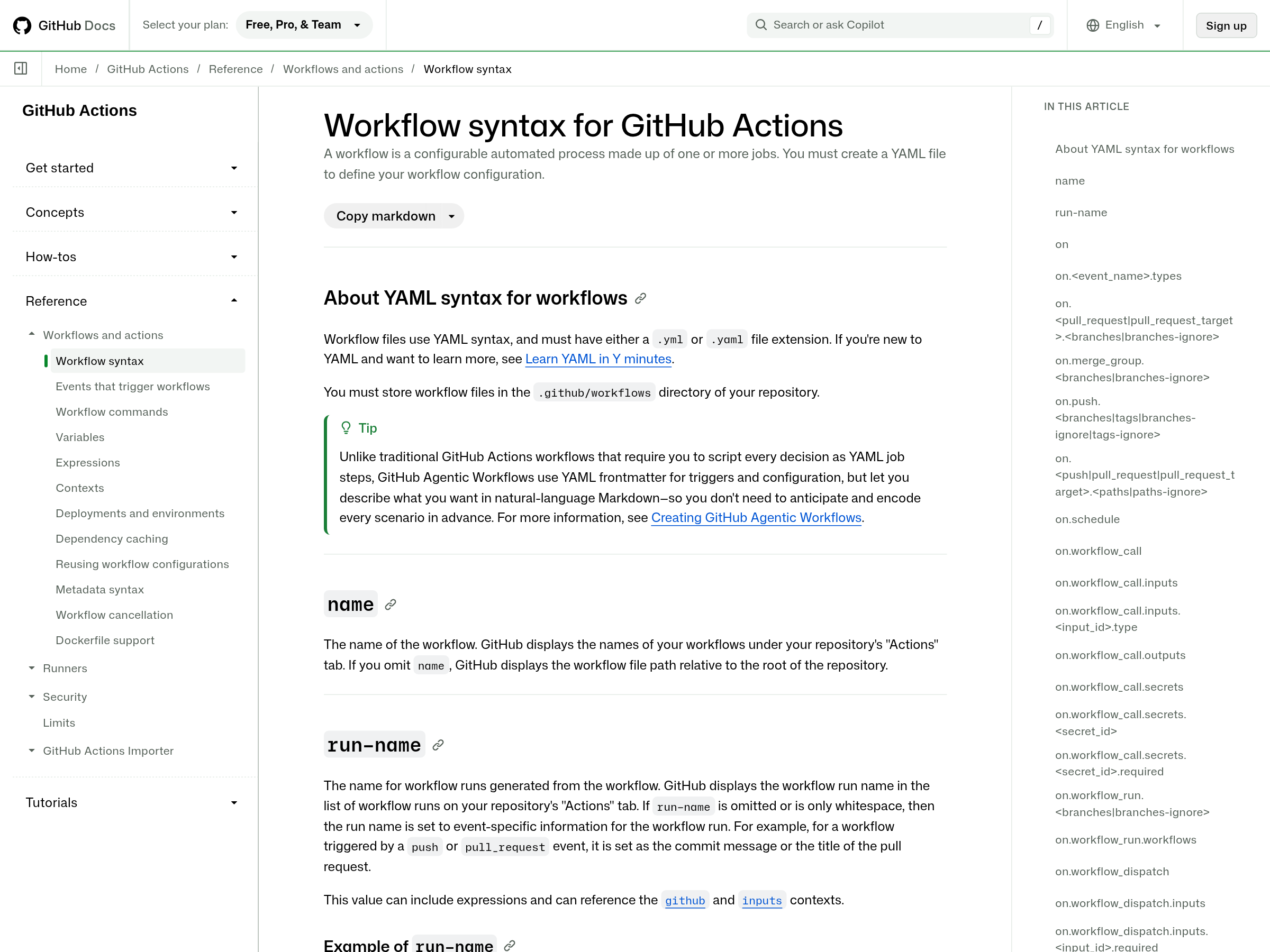
Both platforms describe the same object with slightly different words. GitHub Actions documents a workflow as a file in .github/workflows with a .yml or .yaml extension, triggered by an event such as a push, holding jobs that run on a runner such as ubuntu-latest, and each job holding steps that execute shell commands or call a published action such as actions/checkout@v6.
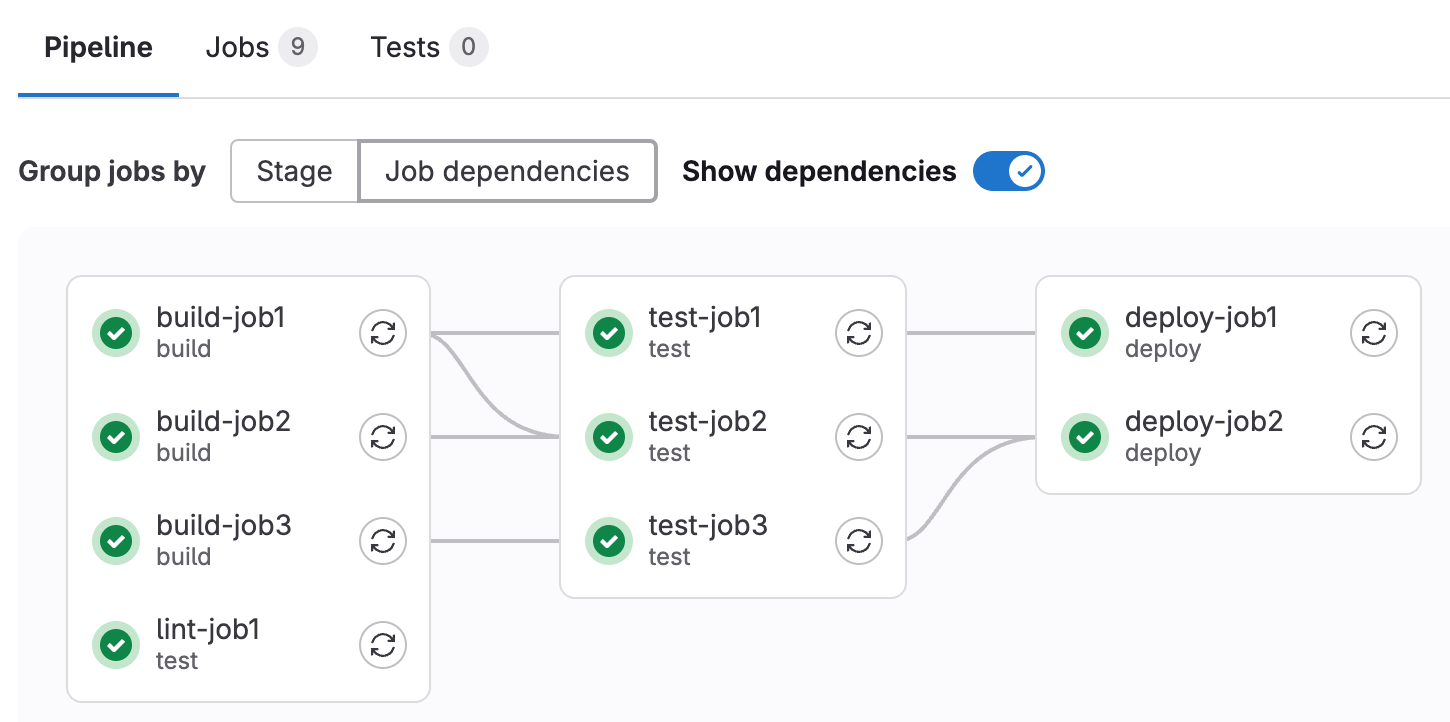
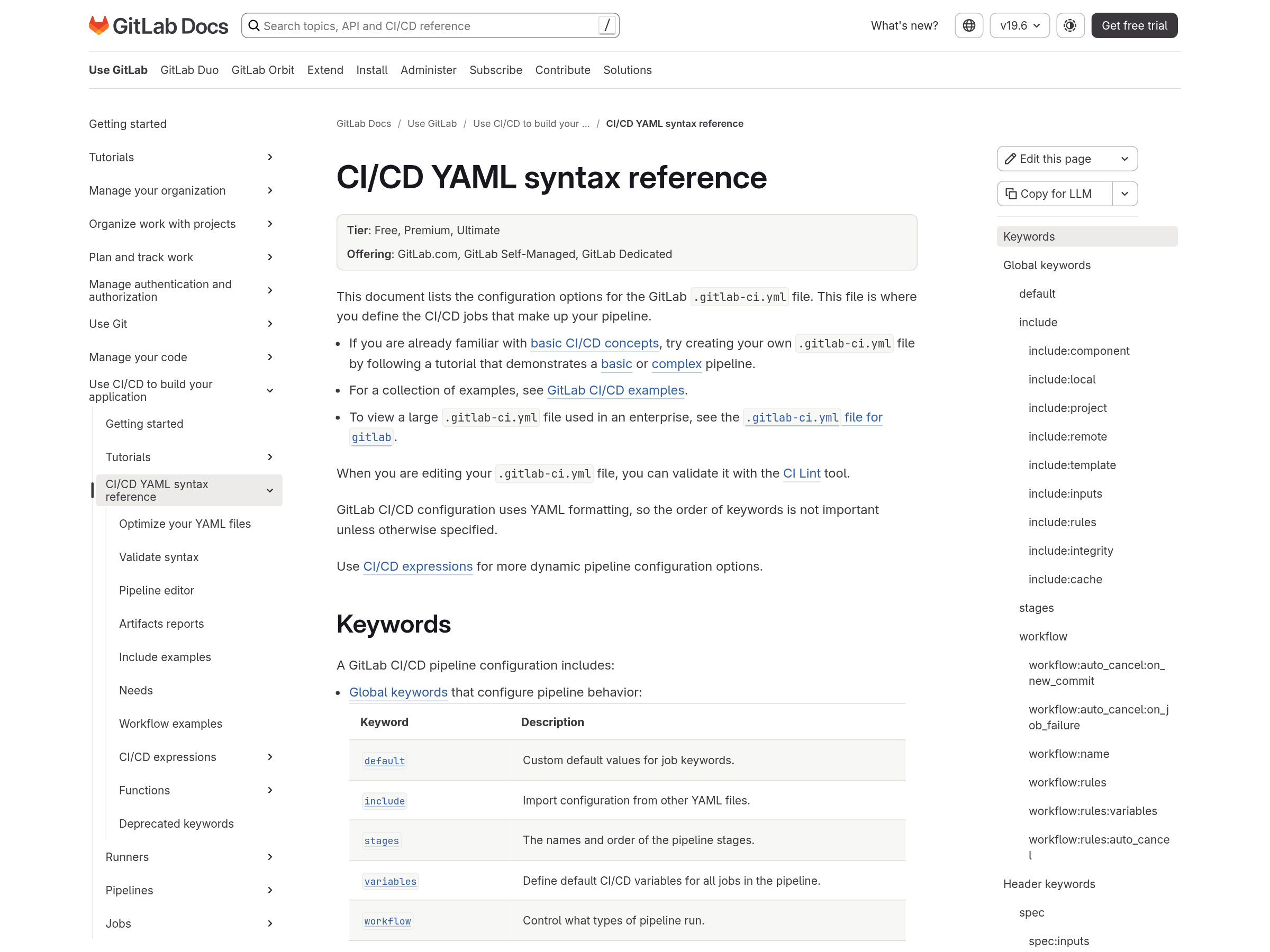
GitLab documents a pipeline as a .gitlab-ci.yml file built from YAML keywords, composed of global keywords, jobs executed by runners, and stages that group those jobs. Stages run in sequence and the jobs inside one stage run in parallel. When stages is left undefined, the default set is .pre, build, test, deploy and .post, and a job that names no stage lands in test.
The rules that matter for planning sit in one sentence of the GitLab documentation: if every job in a stage succeeds, the next stage starts, and if any job fails, later stages do not start. That single behaviour is why the first automation belongs at the front of the sequence.
The Test Suite on Every Push Comes First
Tests are the first automation because they run on the pipeline's configured runner and usually need neither deployment credentials nor permission from anybody outside the team. GitLab runs a pipeline on every commit pushed to a branch with no configuration at all, and a GitHub workflow can use this push trigger: on: [push].
Start with what a developer already runs locally: the linter and the unit tests. A fast suite keeps the feedback loop usable. When a suite becomes slow, teams can start skipping, muting, or rerunning it until it passes, which erodes trust in a green result.
The first pipeline should fail loudly and fail early. Order the steps so the cheapest check runs first, keep a broken build blocking, and leave integration tests for the stage after, once the short feedback loop is trusted.
The Build Artifact and the Container Image Come Second
Once tests run on every push, the next gap is that the thing tested is rebuilt by hand at deploy time. Building once and passing the result forward removes that gap.
GitLab handles it by default: jobs in later stages download the artifacts created by jobs in earlier stages, and that behaviour can be tuned per job with the dependencies and needs keywords. The practical shape is one build job in this Netics analysis that produces the archive or the image, and later jobs that consume it without repeating the compile.
In this Netics sequence, container images deserve their own step when they are the artifact the team deploys. Build the image once per commit in this Netics analysis, tag it with the commit identifier, push it to a registry, and let every later stage reference that tag.
In a first pipeline, define caching and artifacts according to their separate roles. A cache holds dependencies so the next run starts faster. An artifact is the output you keep and deploy. According to GitLab's caching and artifact documentation, caches let subsequent jobs execute more quickly and artifacts pass build results between stages.
A Deployment Job Sits Behind a Manual Gate
Both platforms provide a control point that lets the team keep a person in the loop during deployment.
GitLab documents manual jobs as the mechanism for exactly this: a pipeline can start automatically and still require a manual action to deploy to production, with a Run control on the pipeline graph, and a Run all manual control above a stage that contains only manual jobs. GitHub puts the same decision point in a deployment job that targets a protected environment, where a reviewer approves the run before it proceeds.
A deployment gate creates traceability around production releases. A deployment that waits for manual approval creates a record of who released what and when, and that record supports an incident review.
Put the gate on the deployment job only. A gate on the test stage trains people to click through approvals without reading them.
Secrets Load From the Runner Environment
The pipeline file is committed, reviewed and often visible to everyone who can read the repository, so credentials have to arrive from somewhere else.
GitLab documents CI/CD variables configured in the project settings and exposed to jobs at run time, and it adds a second control that costs nothing: variables marked as protected are available only to jobs running on protected branches, and runners marked as protected accept jobs only from those branches. The pair makes a deploy credential unreachable from a feature branch.
GitHub publishes secrets as a repository and organisation setting, with OpenID Connect available for cloud credentials that are exchanged at run time, which removes a long-lived key from the system altogether.
The recommendation for a first pipeline is direct. If a deploy credential appears in a YAML file, even one that is private today, rotate it and move it into the secret store before the next release. Repositories get forked, archives get exported, and logs get shared in chat.
Caching and Concurrency Decide What the Minutes Cost
The bill arrives through the same counters that measure the pipeline, and both platforms expose the numbers.
GitLab calculates total pipeline duration while excluding pending queue time and the first run of any retried job, so that report omits time the team may still spend waiting for a runner. Alongside that, dependency caching with an integrity check keeps a cache honest when the underlying files change.
GitHub documents dependency caching and workflow concurrency as first-class settings. A concurrency group with cancel-in-progress set means a new push to the same branch cancels the run it supersedes, which is the cheapest optimisation available on a busy repository.
For a small team, start with a cache keyed on the dependency lockfile and a concurrency group per branch. Add a nightly scheduled run only after those two are in place.
Netics Analysis: Six Phases of Rollout in a Fixed Order
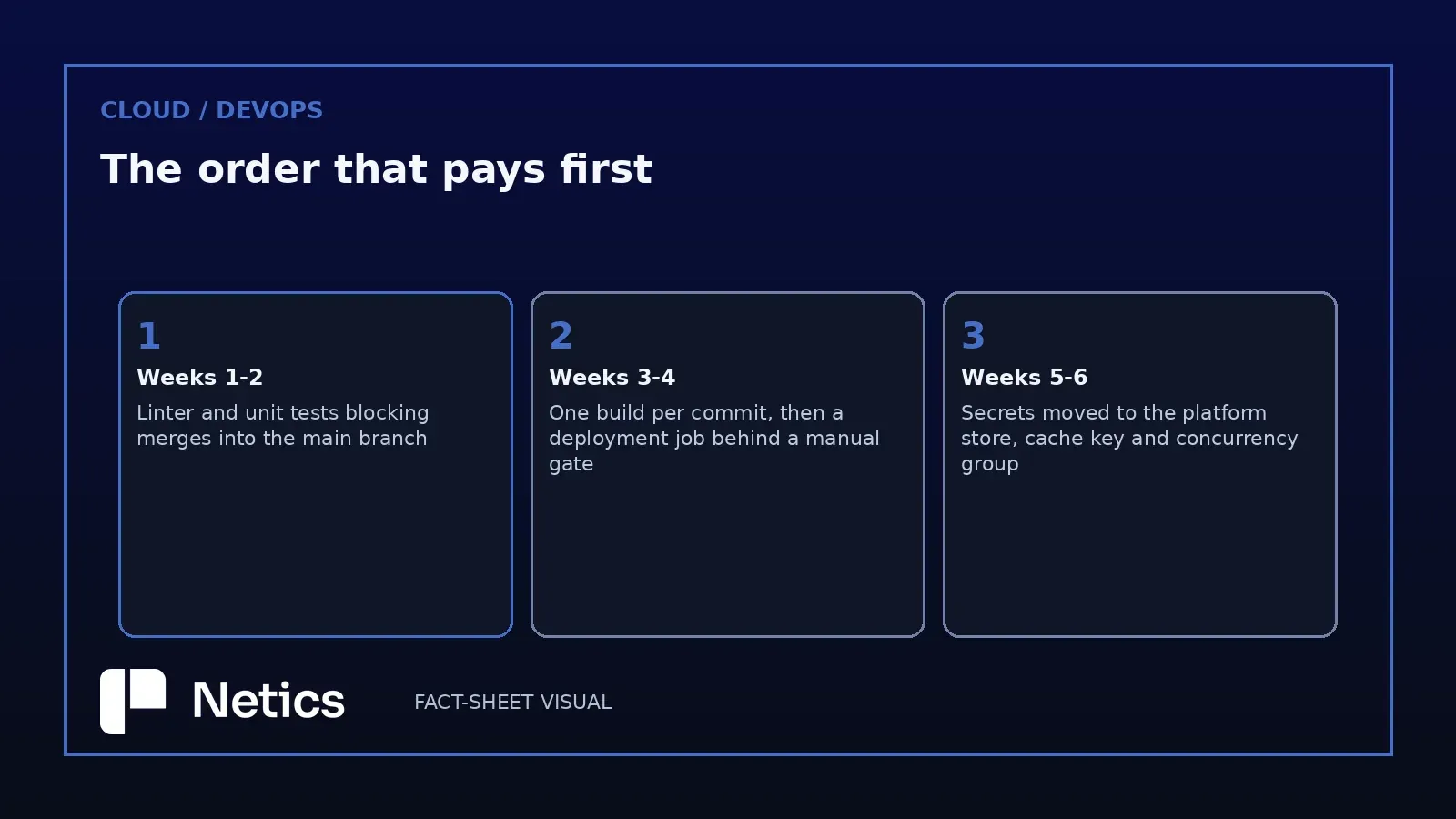
A fixed sequence keeps the project from becoming a platform build. Take a concrete case. Consider an explicitly hypothetical software team whose release process remains manual. The sequence below is Netics analysis: the six-phase count, the split between phases one and two, the single build job and the single named releaser are Netics planning recommendations.
- Phases one and two: the linter and the unit tests on every push, blocking merges into the main branch.
- Phase three: one build job produces the artifact and the image tag once per commit.
- Phase four: the deployment job sits behind a manual gate and one named person releases it.
- Phase five: deploy credentials moved into the platform secret store, with protected branches and protected runners switched on.
- Phase six: the cache keyed on the lockfile, a concurrency group per branch, and notification of a failed main-branch run into the team channel.
Each step is usable on its own, which is the property that makes the sequence survivable. A team that stops after phase two still has a working pipeline that catches broken code before it reaches a colleague.
Where the First Audit Starts
An audit of an existing pipeline starts by reading the file and tracing its behavior. Open the pipeline file and answer these four questions in order: what runs on every push, what the build produces, who can release it, and where the credentials come from. Most teams find a pipeline that builds twice, deploys from a shell step, and holds a token in a variable that every branch can read.
Fixing those four answers is the work. For more information about [Netics](https://neticslabs.com/), [book a consultation](https://neticslabs.com/#booking). For the corresponding platform reference, consult the [GitHub Actions workflow syntax documentation](https://docs.github.com/en/actions/reference/workflows-and-actions/workflow-syntax). For the GitLab pipeline model, [see the official CI/CD pipeline documentation](https://docs.gitlab.com/ci/pipelines/). The official documentation describes the platform features used in this sequence. What the team buys with the effort is a release that a second person can perform, which is the difference between a holiday-proof system and a single point of failure.
For more on pipeline configuration, the official GitLab CI/CD pipeline documentation complements the discussion of human approval inside a longer automation chain in designing an automation pipeline that a human approves.
The GitHub Actions source is available in the official quickstart.
Sources
Source: Quickstart for GitHub Actions, the GitHub Actions workflow syntax reference, CI/CD pipelines and the CI/CD YAML syntax reference — docs.github.com and docs.gitlab.com. The workflow file location, the push trigger, the ubuntu-latest runner, the checkout action, the job log, the .gitlab-ci.yml file, the stage order, the default stages, the artifact download behaviour, the manual job control, the protected variable and runner behaviour, the pipeline duration accounting and the workflow syntax keys all come from these two documentation sets.