
ArtCraft's AI-Built Apps Bring Open-Source Pressure to Adobe
ArtCraft’s creative-software lineup has grown from seven apps in launch coverage to twelve on its current directory. PhotoCraft advertises broad PSD support; the project still labels it earl

TL;DR
- ArtCraft is an open-source creative-software project whose current directory lists twelve Rust applications, including image-editing, video and photo-library tools.
- The project's own status labels matter more than the Adobe-shaped interfaces: PhotoCraft is early alpha; FilmCraft and LightCraft are still in development.
- ArtCraft says PhotoCraft round-trips 134 of 135 real-world PSD/PSB test files byte for byte; this project-reported result is not an independent test, and the app remains labelled Early alpha.
- A credible challenge to Adobe could emerge from lower-cost, inspectable alternatives that win one workflow at a time.
- A migration test should check catalog records, edit instructions and sidecars as well as visual exports.
The headline is bigger than the software—so far
The pitch is irresistible: AI-assisted development, free and open-source applications, and familiar workflows aimed at Photoshop, Premiere Pro and Lightroom. PetaPixel’s 7 October report described seven ArtCraft apps. Five days later, the project’s live directory lists twelve, expanding into word processing, audio, presentations, CAD and spreadsheets as well as image, video and design tools. That rapid expansion makes the story larger than a set of Adobe lookalikes: it is an attempt to build a broad open-source desktop-software family.
The project deserves attention while its applications continue to mature.
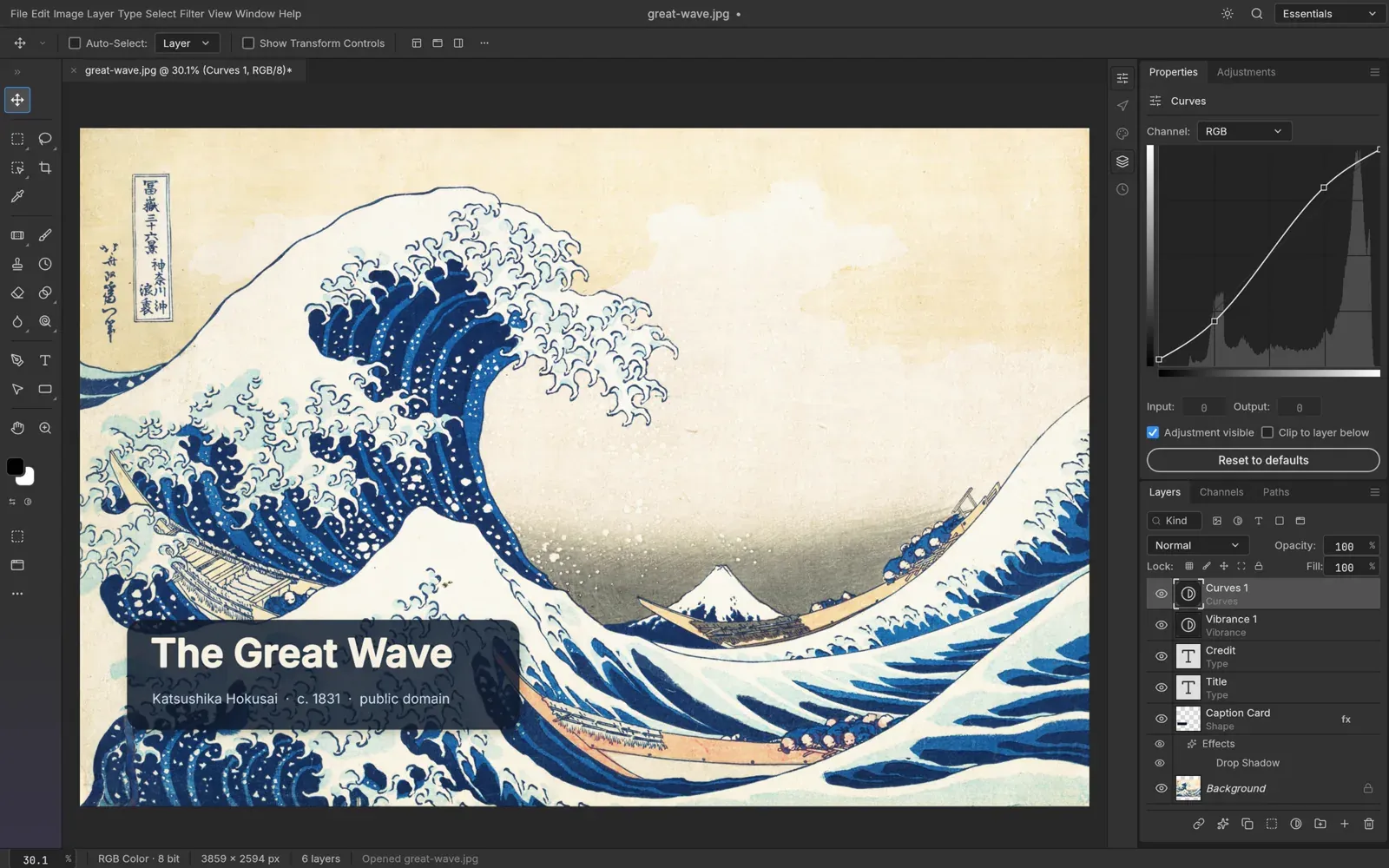
ArtCraft’s own directory is unusually helpful about maturity. PhotoCraft is marked Early alpha, while FilmCraft and LightCraft are In development. The project lists installers for all three. Its PhotoCraft page says the application can open and save layered PSD and PSB files and reports a byte-for-byte round trip on 134 of 135 real-world test files. The developer reports this result; Netics has not reproduced the test. The claim needs to be assessed alongside the alpha label. Evidence from one test set does not establish compatibility across Photoshop’s full feature set.
Make the reported 134-of-135 result a test prompt: try representative files on copies, then verify each layer, mask and adjustment after saving and reopening.
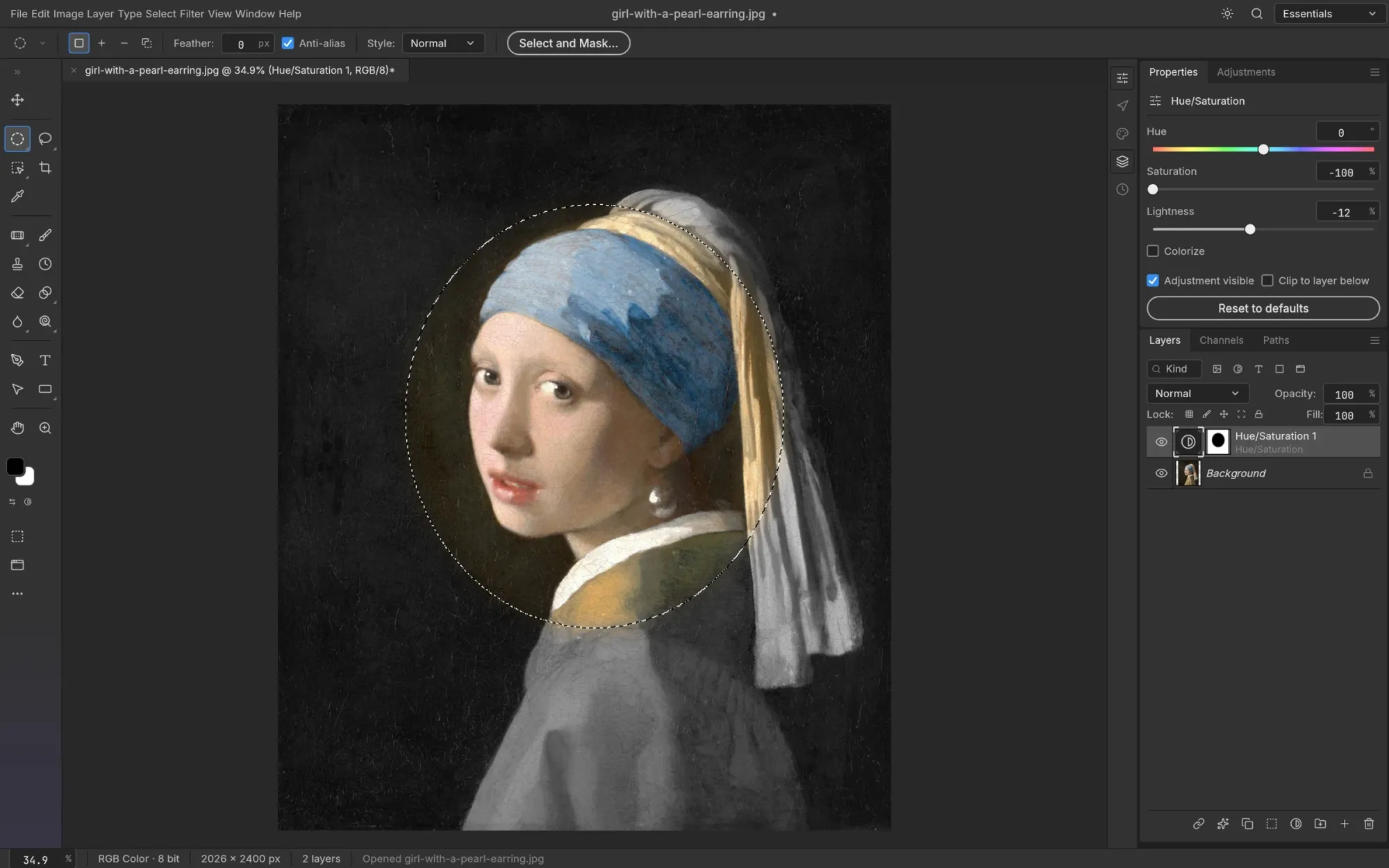
Record the exact build and the test files too, so a later version can reproduce the result.
Why the project is still significant
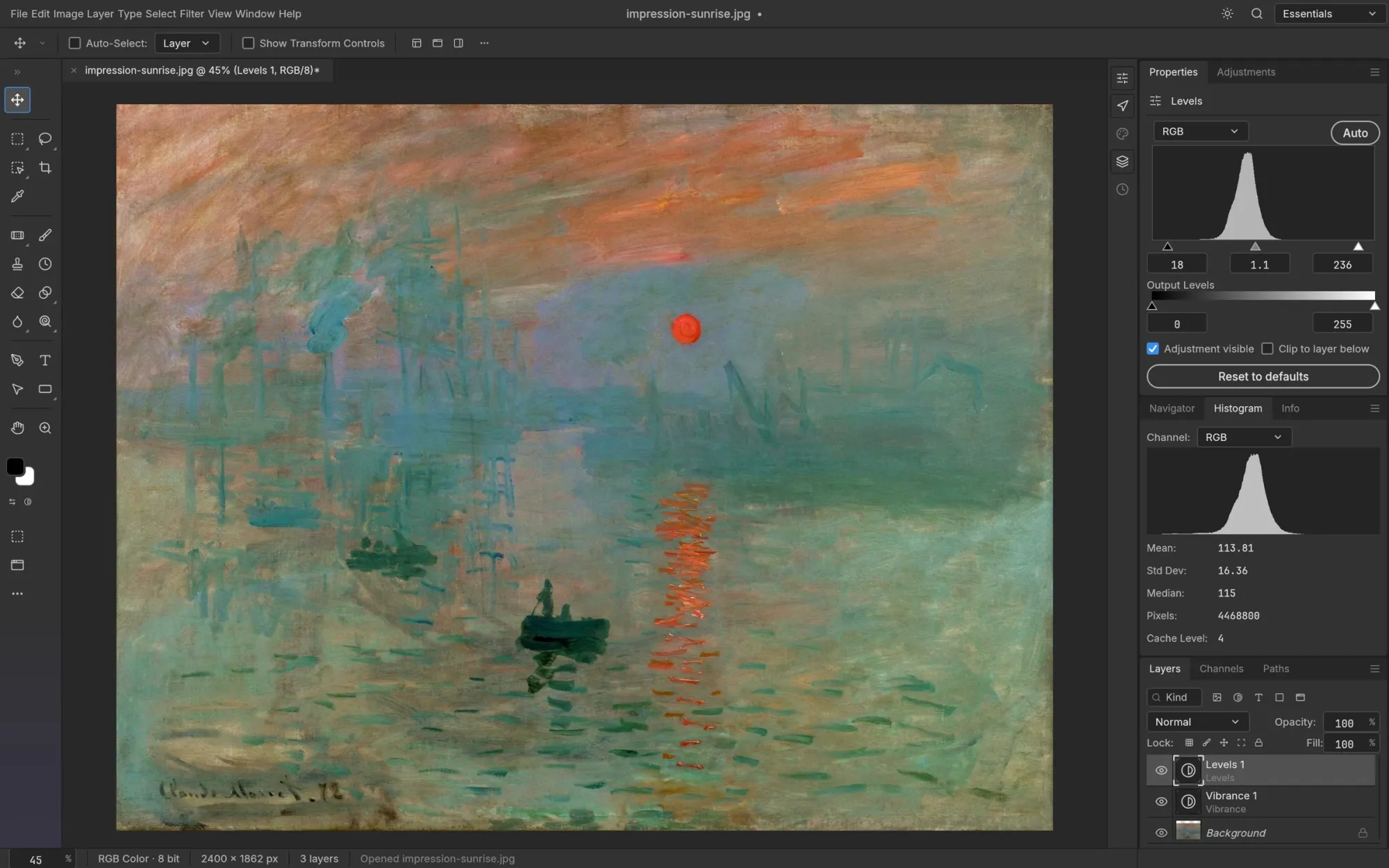
Adobe’s advantage is broader than a toolbar layout. Creative Cloud bundles mature format compatibility, predictable handling of large projects, colour-management behaviour, collaboration, plug-ins and support. Professionals also depend on habits and handoffs: a project must open correctly on another machine, preserve its structure and survive revisions through a production cycle.
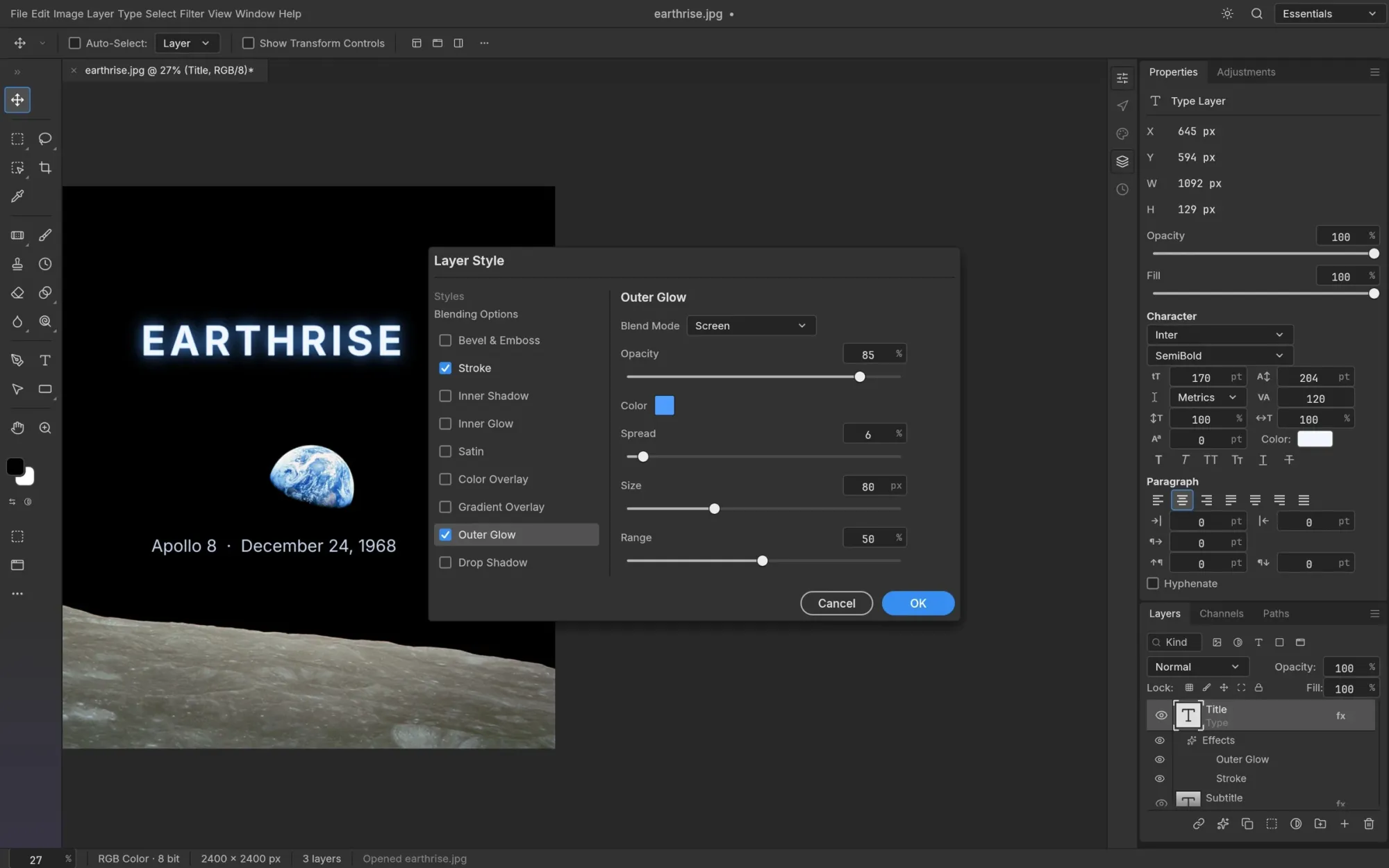
A new application does not have to beat all of that to matter. It can begin with a narrower promise: open a common image, make a routine edit, export a dependable file. If that path is free, local and inspectable, a freelancer or small studio can test it without asking a vendor for permission. GitHub’s current repository metadata lists Apache-2.0 for PhotoCraft, FilmCraft and LightCraft. That gives those three repositories permissive terms for inspection and modification; check each repository and its dependencies before redistribution or commercial integration.
Log the app version, machine and sample files together; otherwise, teams cannot compare test results across updates.
Have another person repeat the documented import-and-export path before treating a result as repeatable.
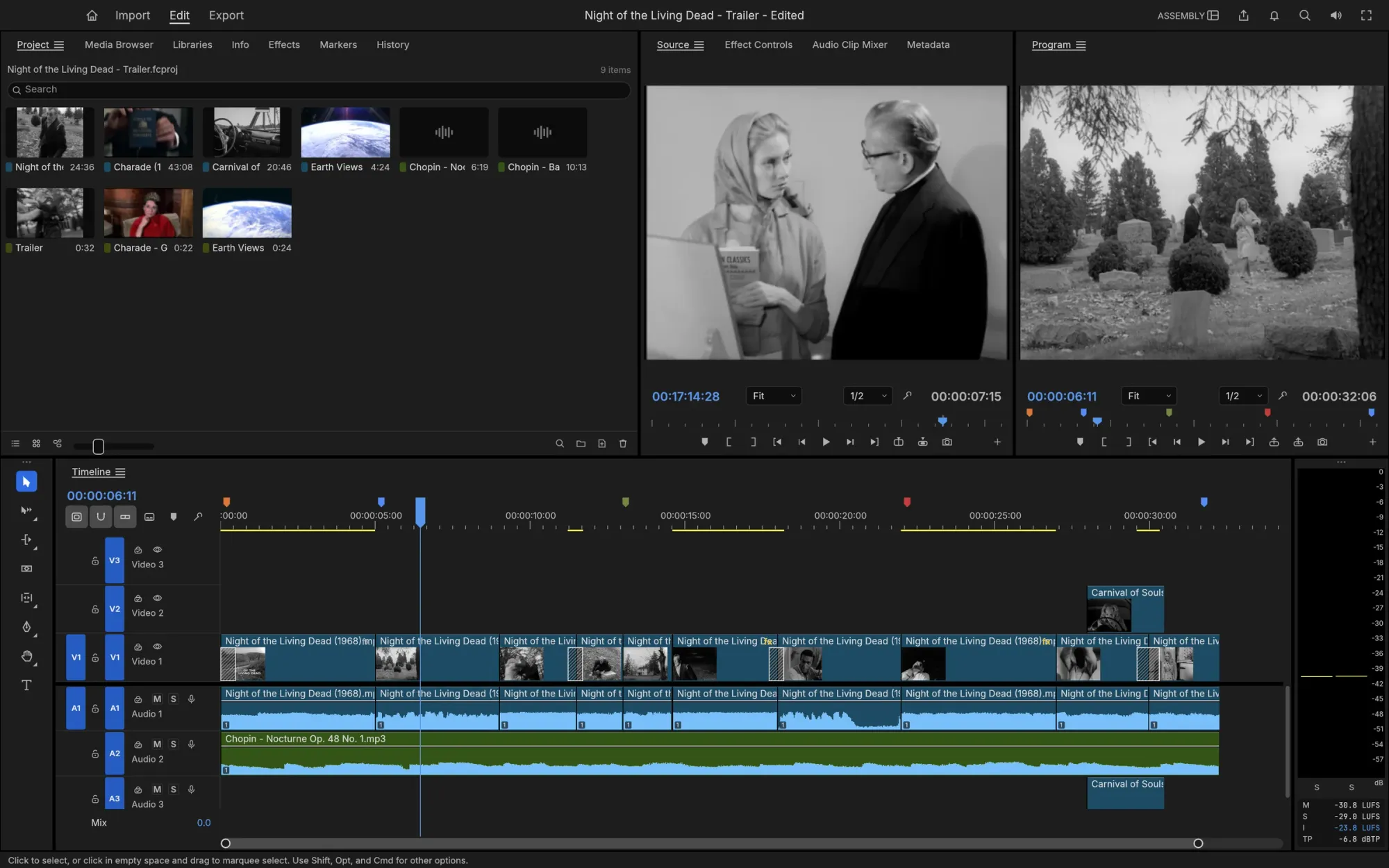
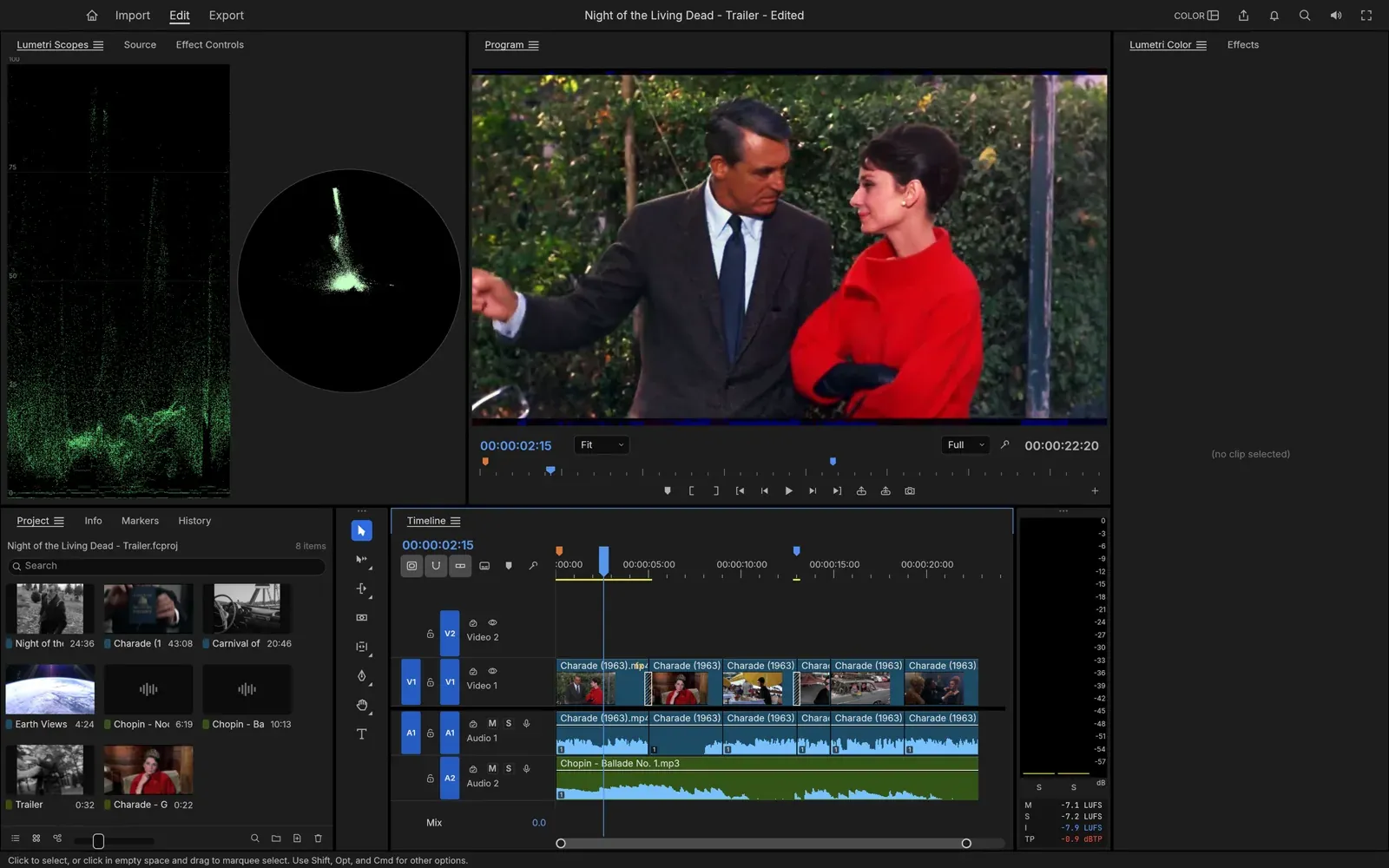
Before moving a video project, take one short sequence through the whole delivery path: import footage, relink an asset, sync dialogue, add a title and transition, export, reopen the file on a second machine, and check audio, captions, frame rate and colour. Repeat the same sequence in Premiere. A visible timeline shows the tracks; this test asks whether the resulting file meets the team’s delivery requirements.
What AI-assisted coding tells us about software quality
The AI-assisted build is the part that makes this story travel. PetaPixel’s launch coverage attributes the use of Claude Opus 5.5 to creator Brandon Thomas. AI coding tools may change the economics of getting a prototype into users’ hands: a small team can attempt multiple interfaces and workflows that would once have demanded a much larger initial engineering effort. The reported method says little about whether the exported projects meet professional requirements.
But lines of code produced are not the bottleneck that decides whether an editor earns trust. The hard questions are behavioural: Does it preserve a complex project? Does undo remain correct after a long session? Are colour and export results repeatable? What happens when a file is malformed, a plug-in is missing, or the app crashes? Can a team reproduce a bug and ship a fix without breaking other formats?
TechRadar’s 8 October hands-on report described the then-current suite as early-stage and noted limitations. That independent snapshot predates the current twelve-app directory and does not test every app or later build. We have not independently tested the applications for this article, so we are not presenting a feature-by-feature verdict.
A Lightroom catalog needs its own migration test
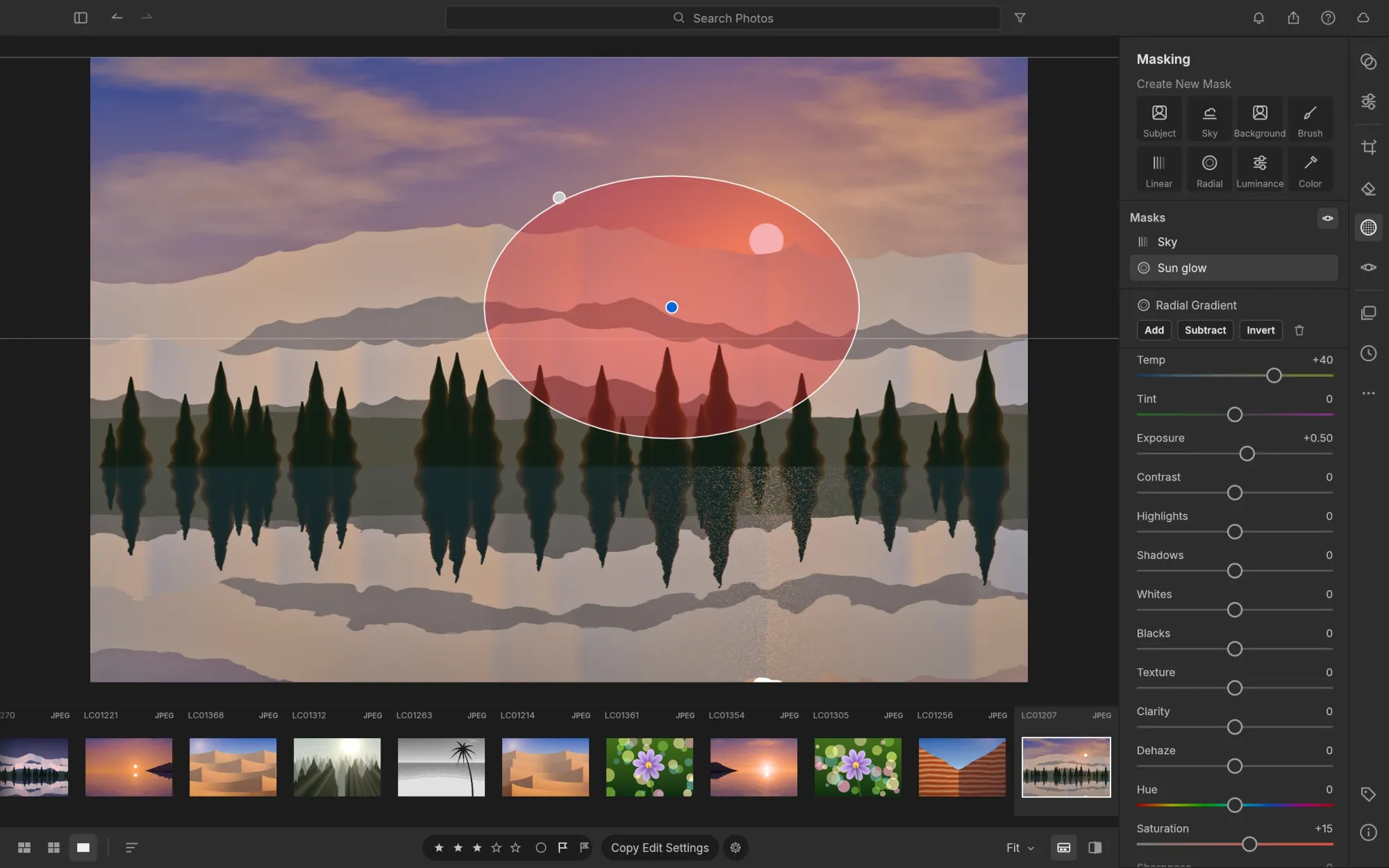
Adobe describes the Lightroom Classic catalog as a database of photo locations, processing instructions and metadata such as ratings and keywords. Adobe also documents XMP sidecars for proprietary camera RAW files. Before moving a working catalog, copy a representative set and compare organization, ratings, keywords and edit instructions after import and export. Keep the original catalog and a rollback copy until that comparison is complete. A matching rendered image verifies pixel appearance; catalog records and sidecars still need their own checks.
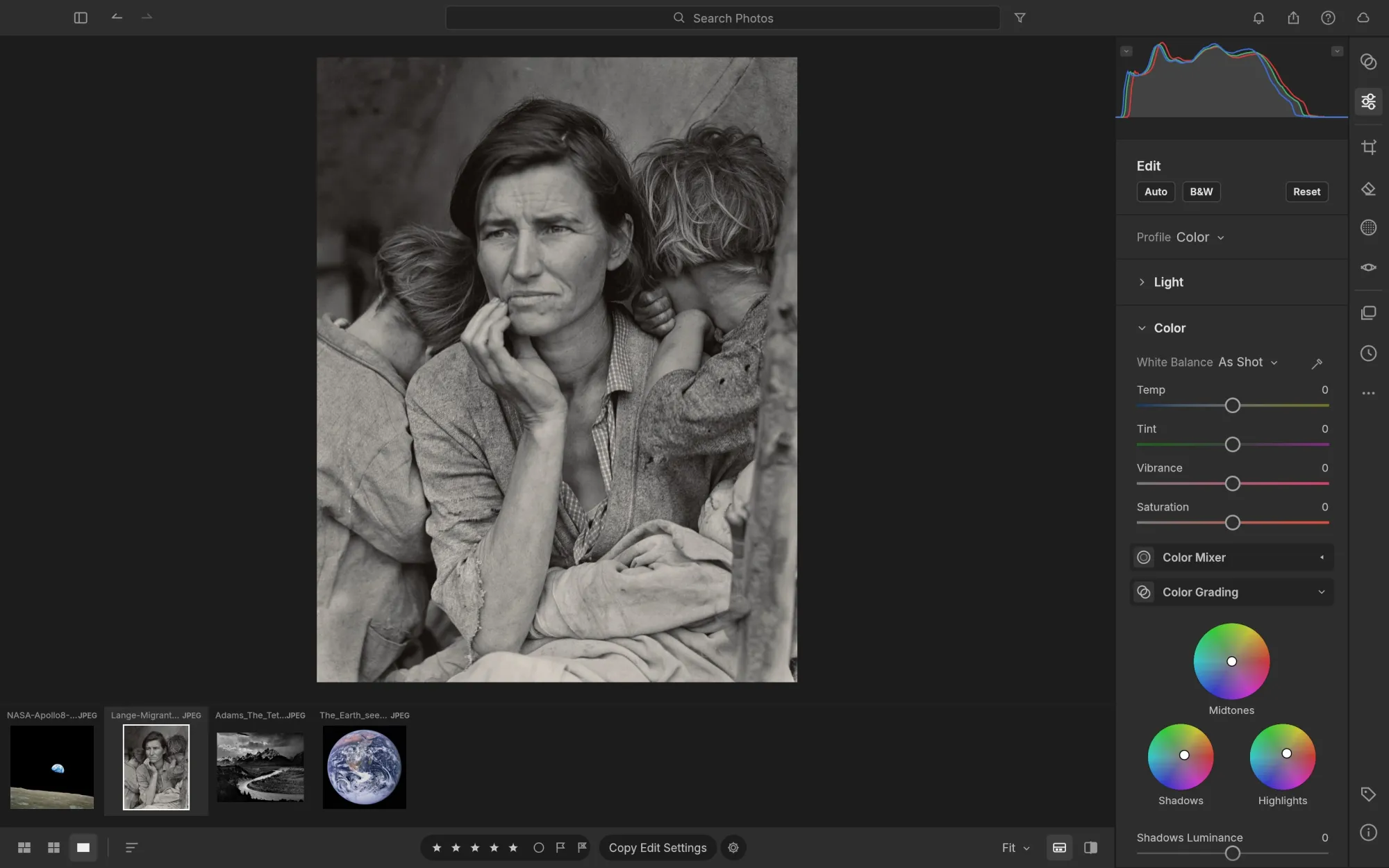
Record the exact import/export steps and compare the catalog metadata separately from the rendered previews.
The Adobe challenge arrives one workflow at a time
Creative teams can begin with a lower-risk question: which small job could it handle today? Start with a copy of a non-critical project. Test the formats you actually receive, export and reopen the result in the next tool in your pipeline, and compare it against a known output. Keep the original and a rollback path. Avoid moving a client deadline or irreplaceable archive onto software whose own team still labels it in development.
For developers and technically confident users, the open repositories make the experiment tangible: inspect the code, file an issue, test a build, or contribute a missing capability. For everyone else, the maturity label offers a practical guide. An installer means you can try it; it does not mean your workflow is covered.
Adobe should pay attention because the cost of attempting a credible alternative is falling. If ArtCraft turns today’s prototypes into reliable, interoperable tools, the pressure will arrive from the routine tasks users are willing to move first. This gradual route offers a more realistic—and potentially more consequential—challenge than declaring the incumbent dead. See Netics for our work on practical technology choices.
If your team is reviewing its creative-tool stack, book a free 30-minute audit to discuss the workflows, risks and migration criteria.
Sources
- PetaPixel, “Someone Rebuilt Free, Open-Source Versions of Photoshop, Premiere, and Lightroom Using AI” (7 October 2026)
- ArtCraft, “Crafting Apps” directory and project-status labels
- ArtCraft, PhotoCraft, FilmCraft, and LightCraft
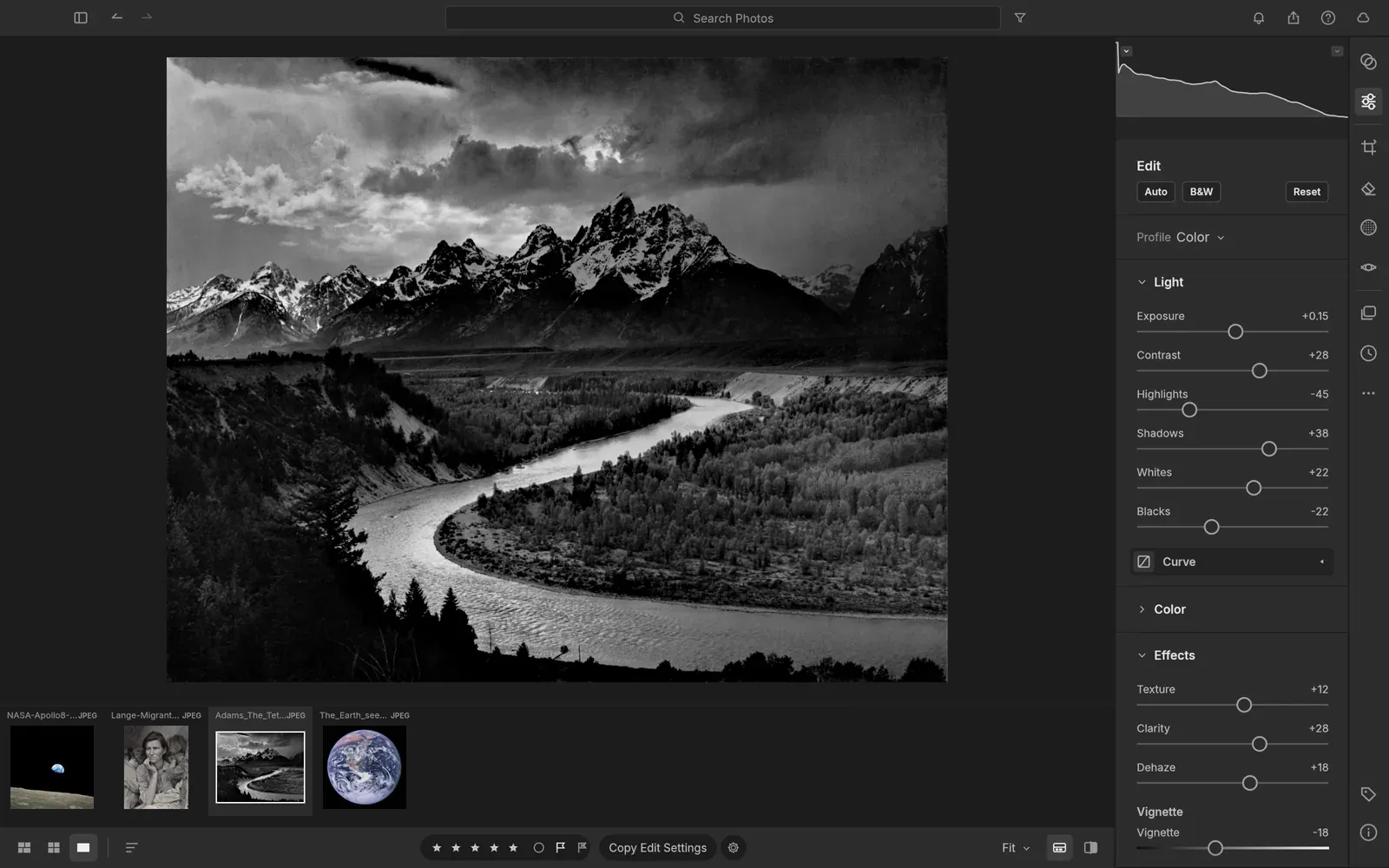
- ArtCraft project screenshots: PhotoCraft README (editor, Levels/histogram, masks and layer styles), FilmCraft README (color workspace and Assembly timeline), and LightCraft README (library/develop, grading and masking)
- Source repositories: PhotoCraft, FilmCraft, and LightCraft
- TechRadar, hands-on report on the seven-app project (8 October 2026)
- Ars Technica, coverage of the launch and its early-stage caveats (7 October 2026)
- Adobe, How Lightroom Classic catalogs work and Metadata basics and XMP
Source: PetaPixel; ArtCraft; GitHub; TechRadar; Ars Technica. Project status checked 12 October 2026.